9
Back Light Function:
Press the “Back Light” button will turn back light on and Press it once
again will turn off.
The meter will turn back light off if there is no push “Back Light”
button for 30 seconds.
ZERO Function:
Press the “ZERO” button will change the zero to the present reading
and the relative value will show on the LCD.
Press it once again will set the meter back to normal operation.
V. Battery Changing:
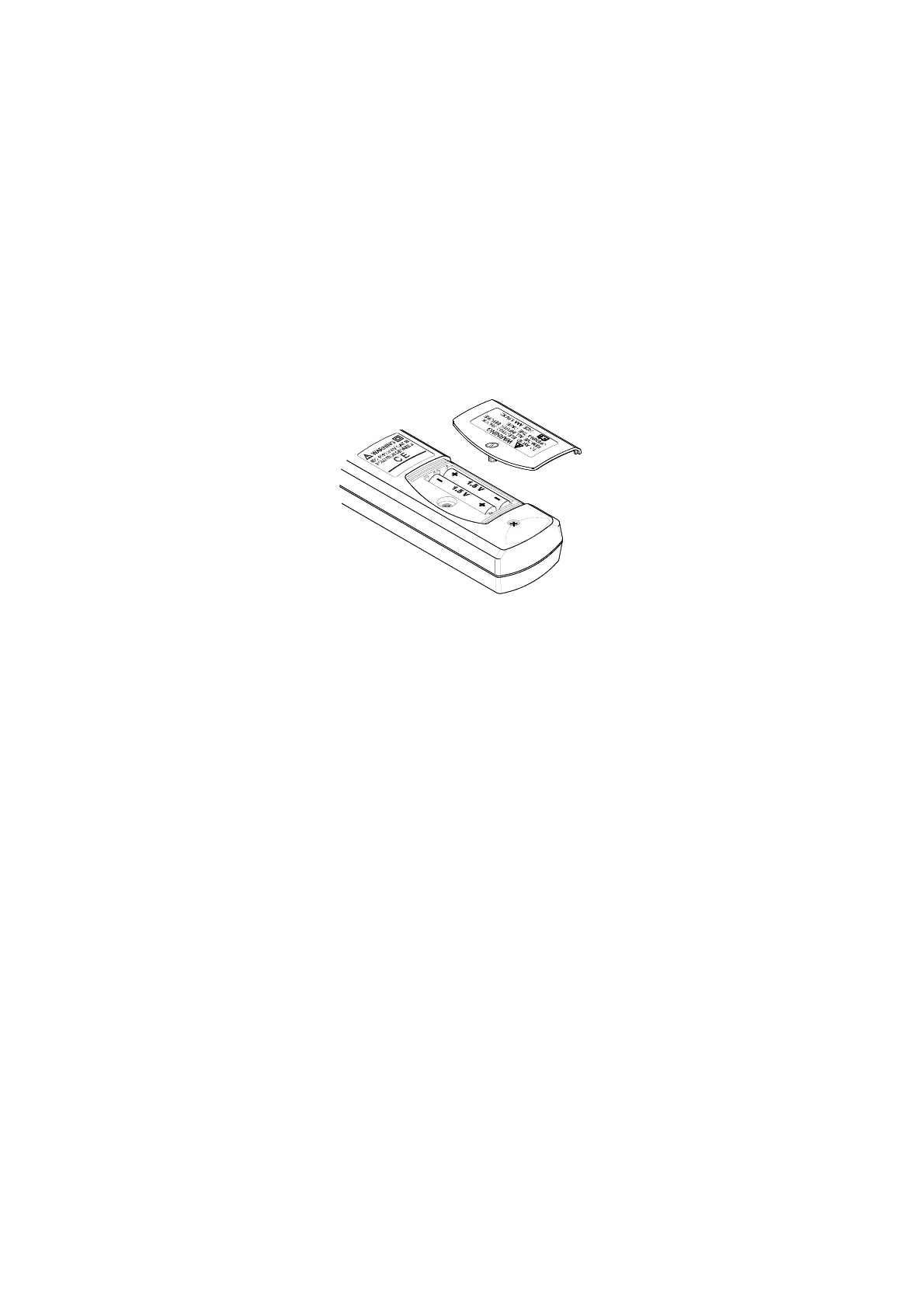
1. When the battery voltage drop below proper operation range the
symbol will appear on the LCD display and the battery needs to be
changed.
2.Before changing the battery, switch the main dial to “OFF ”and
disconnect test leads.
Open the back cover by a screwdriver.
Replace the old batteries with two new 1.5V(AAA Size) battery.
3.Close the back cover and fasten the screw.



 To Next Page