DATA LOGGER SOUND LEVEL METER
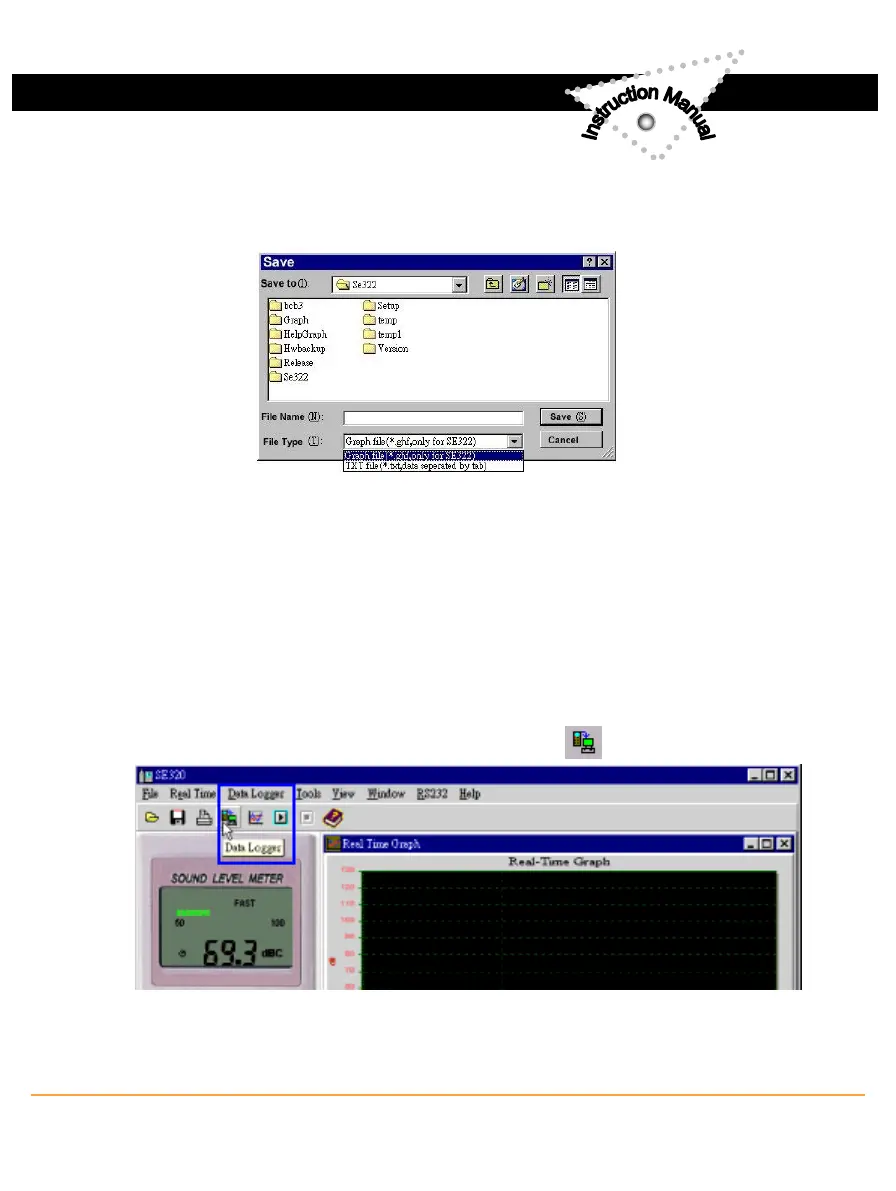
(3.) How to load the recorded data from the memory of Sound Level Meter
and save it to a file ?
(Only for the model with Data Logger)
1. Power on the Sound Level Meter.
2. Press the REC button of the meter to start recording data .
3. After a while, press REC button again to stop recording data.
4. Connect the Sound Level Meter to PC
5. Start SE322 program.
6. Choose Data Logger from main menu or click from tool bar.
7.In reference to Data Logger , see DataLogger.
2
www.SpectoTechnology.com
Specto Technology
y
1061 E. Elizabeth Ave. Linden, NJ 07036
y
866-925-7737
y
info@spectotechnology
15



 To Next Page