DATA LOGGER SOUND LEVEL METER
MIN
MAX
C
A
FAST
SLOW
LEVEL
CAL
IEC 60942 Class 2
ANSI S1.40 - 1984
OFF
94dB
114dB
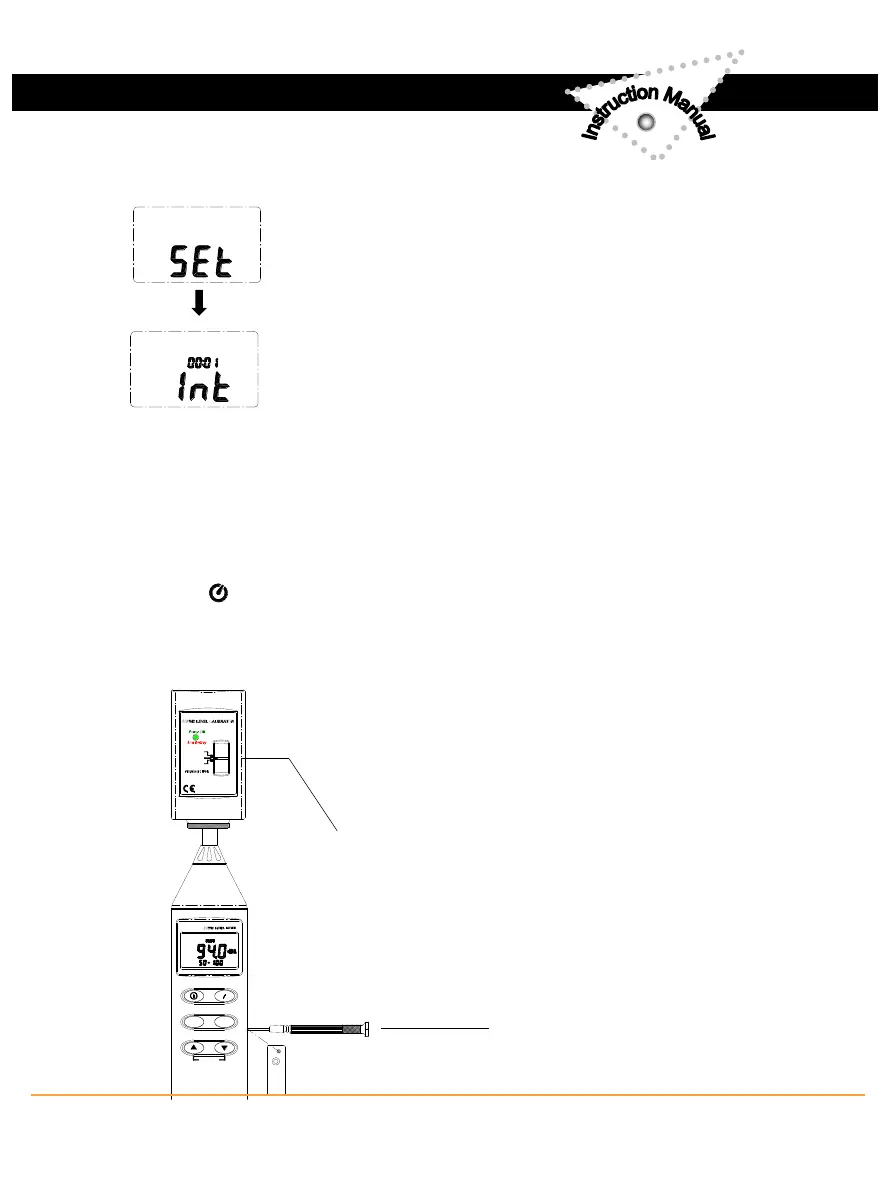
▪ Recording Interval Setup :
1: press and hold “A/C” button and then power on the
meter:
2: press “FAST/SLOW"(INTV) button:
3: press "REC" ▲ or "LEVEL" ▼ to increase or decrease
number, press “FAST/SLOW " (INTV) to adjust next item,
then press “FAST/SLOW” (INTV) to finish. If you want
abort during a setup process, press power button to
cancel.
▪ Auto Power Off:
By default, when the meter is powered on, it is under auto power off mode.
The meter will power itself off after 30 minutes if no key operation and no
RS232 communication and no recording combination at power on can
disable auto power off.
One may press and hold “FAST/SLOW” button and then power on the meter
and the will not show up to indicate that auto power off is disabled.
VI. CALIBRATION PROCEDURES
▪ Using a standard Acoustic Calibrator
( 94dB , 1KHz Sine wave )
2
www.SpectoTechnology.com
Specto Technology
y
1061 E. Elizabeth Ave. Linden, NJ 07036
y
866-925-7737
y
info@spectotechnology
7



 To Next Page