Sound Level Meter
7
○
12
Tripod mounting thread:
For long-term measurements, the unit can be mounted on a camera tripod.
Proceed carefully, to avoid dropping the unit.
○
13
Battery compartment.
6. DATA LOGGER & INTERVAL SETUP
How to store data in memory.
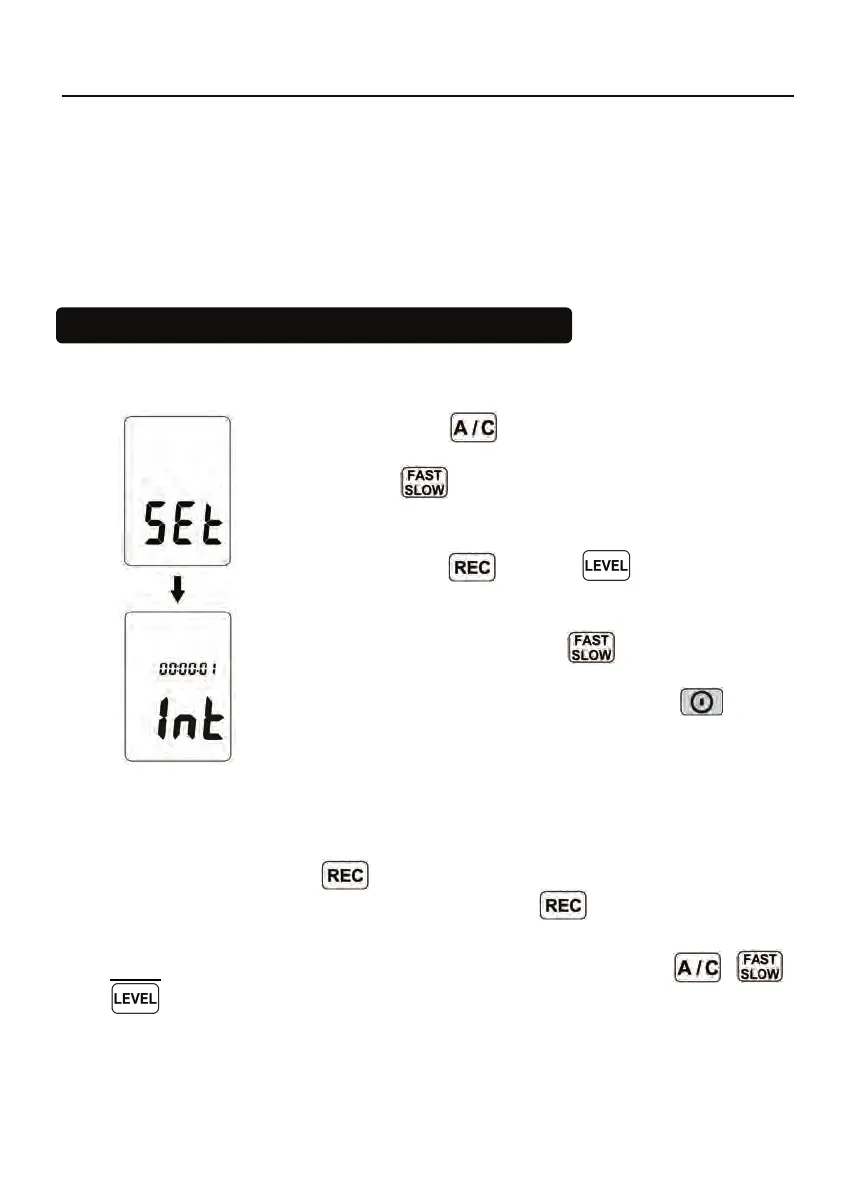
Auto store Interval time setup:
(1) Press and hold “
” button and then power on the
meter.
(2) Press INTV(
) button, “ Int ” appears for interval, as
well as a flashing second display.
(3) Now set the desired recording interval in minutes and
seconds. Press ▲(
) or ▼( ) to increase or
decrease number, Max 1 minute can be set. The minimum
value is limited to “00:01”(=1s). After setting has been
performed, actuate the press INTV(
) button once, to get
back to the display of the instantaneously measured values.
If you want abort during a setup process, press
button
to cancel.
6.1 Auto store:
Auto store Interval time setup:
When one presses the
button starts saving the measured values .The
values are stored in a memory location. Press
button again will stop
recording.
Note: During recording period, most of the buttons such as the
, ,
are inoperative. All other settings must be made before starting the
record operation.
LCD will show FULL symbol when 64,000 recorders are stored in memory.



 To Next Page