RTD THERMOMETER
13
7. Maintenance
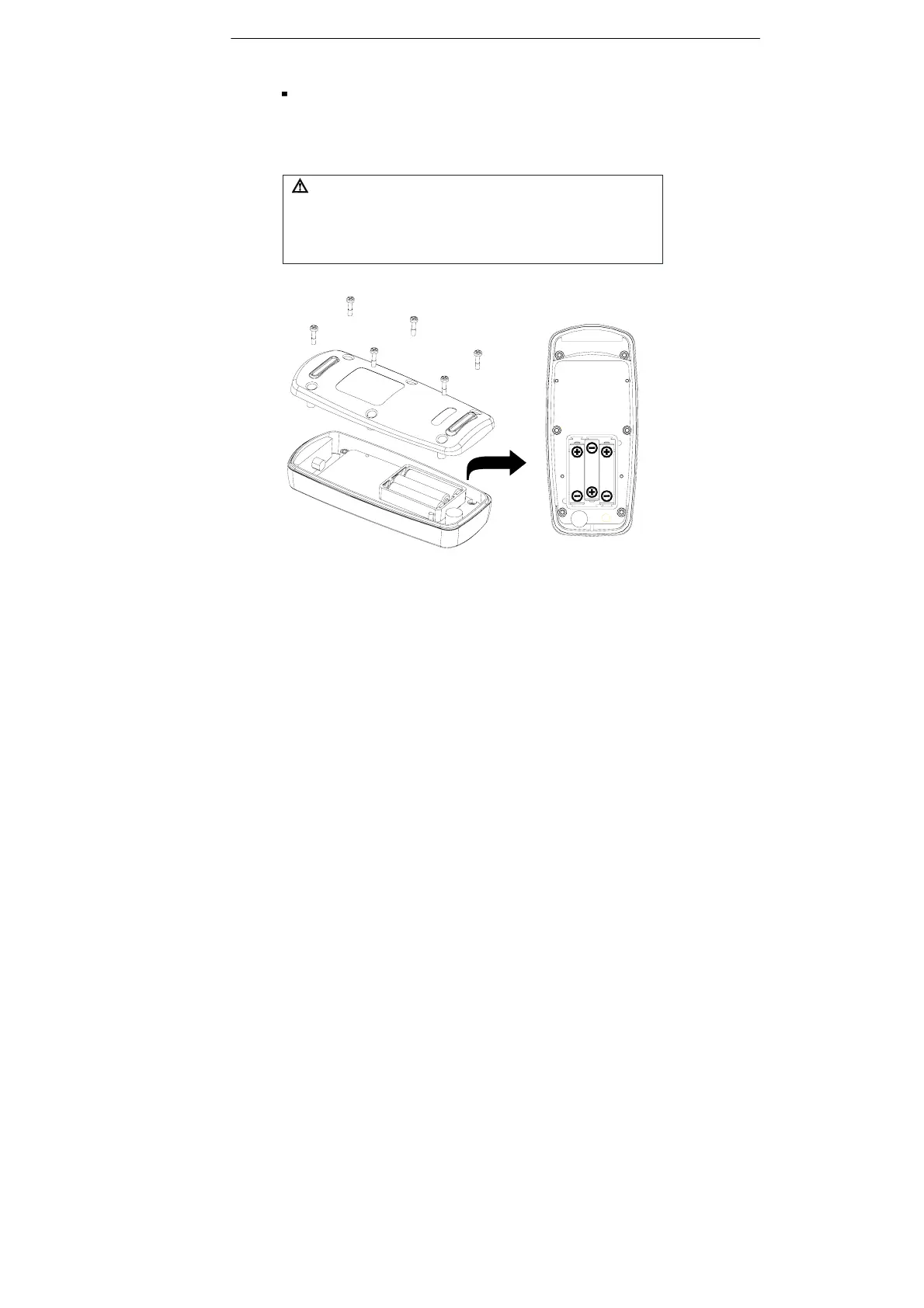
Replacing the Batteries
(1) Remove back cover screw to remove cover. Verify polarity and
install new LR03(AAA size) alkaline batteries.
(2) Fit cover properly and tighten screw.
The unit’s back cover are fitted with rubber rings. After replacing the
battery, check that the rubber rings are properly seated before reinstalling
the back cover. Improper seating of the rubber rings will compromise the
unit’s water-resistant structure, and possibly result in damage to the
equipment.



 To Next Page