DATALOGGER THERMOMETER
10
7.4 Clearing Data Logger Records:
(1) Turn off the unit.
(2) Press and hold
button and then press power button to turn on the unit.
(3) Keep holding
and button, then LCD will show " "," CLr " and “ SUrE 5,
4…1, 0
” until clean the memory. (To abort, release all buttons in process)
7.5 Clearing Instant Read-out Memory:
(1) Turn off the unit.
(2) Press and hold
button and then press power button to turn on the unit.
(3) Keep holding
button, then LCD will show " ", " CLr " and “ SUrE 5, 4…1,
0
” until clean the memory. (To abort, release button before “ SUrE 0 ”.)
The LCD will show "
CLr " , “ 0 ”and start erasing group 00 to 99 records.
7.6 Connecting to a computer:
The meter can be connected to PC through a micro USB cable to download recorded data or
perform real time monitoring or datalogging in the software interface.
8. POWER PREPARATION
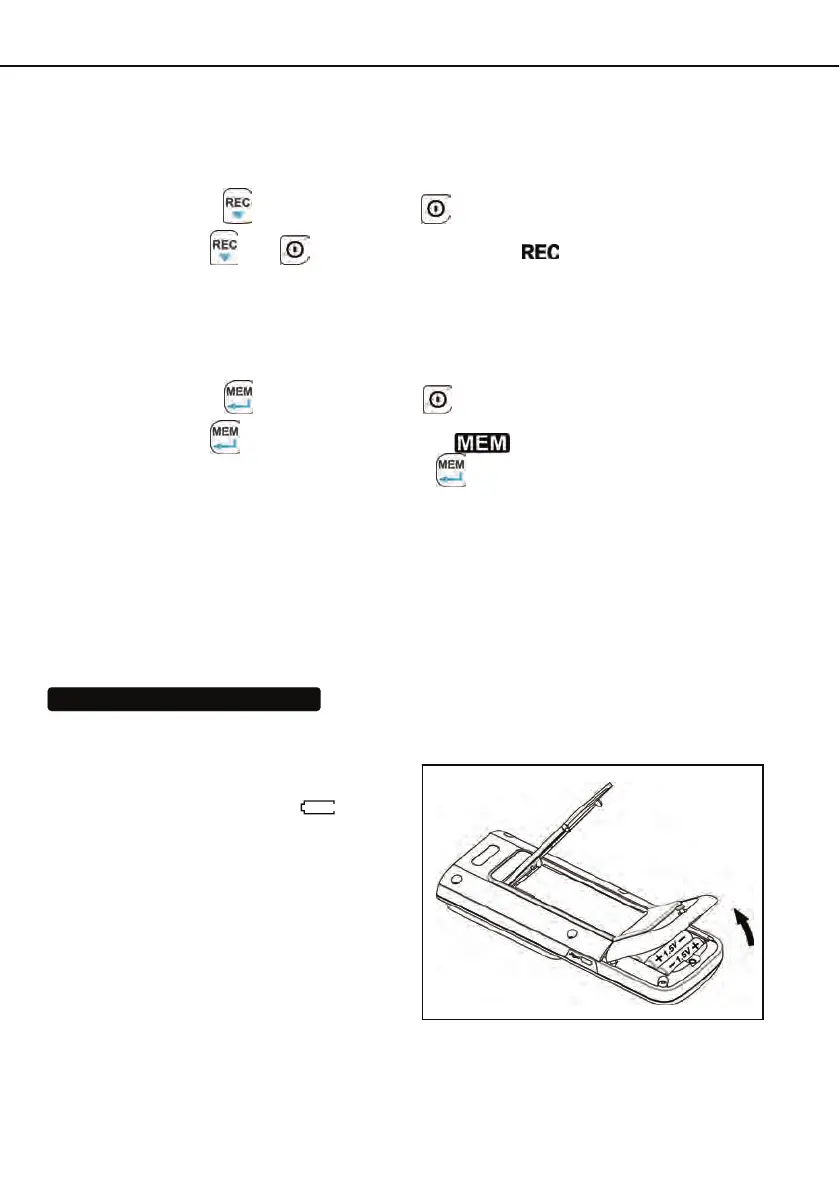
8.1 Battery Replacement:
(1) When the battery voltage drops below
proper operation range, the symbol
will blink on the LCD display and the battery
needs to be replaced.
(2) Before replacing the battery, power off
the meter, and disconnect all temperature
probes.
Open the cover of the battery cabinet by a
screwdriver. Replace the old batteries with
four new UM-4 or AAA size batteries.
(3) Close the battery cabinets cover and
fasten the screw.



 To Next Page