DATALOGGER THERMOMETER
11
9. Testlink SE-520 SOFTWARE
9.1 The SE-520 package contains:
Software CD disk
Micro USB cable
9.2 System Required:
Windows XP/ VISTA/ Windows 7/ Windows 8/ Windows 10
9.3 Minimum Hardware Required:
PC or laptop with CD-ROM drive.
At least 50 MB hard disk space available to install SE520.
Recommended screen resolution 1024X768 or above.
9.4 Tutorial - Quick Start to Use SE520:
Recording real time data in waveform:
(1) Power on the 4 Channel Thermometer first and connect it to a PC USB port with the cable,
(2) Start SE520 program.
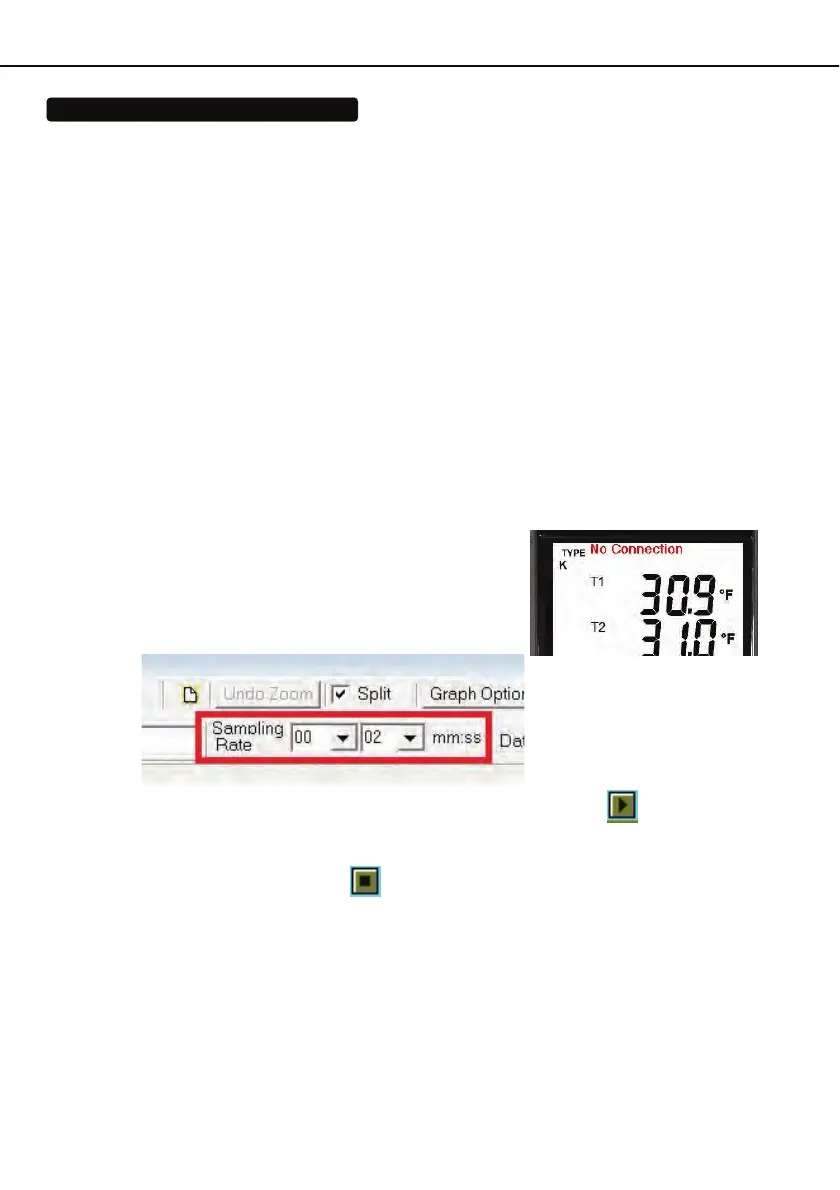
(3) If the connection is successful the panel will display
the same value as the 4 Channel Thermometer. If
fail to connect the meter with PC, it will display " No
Connection " on the panel window in SE520.
(4) Select sampling rate from Real-Time Graph window.
(5) When the connection is successful, click “ Real Time | run ” or
from main menu to
start recording real time data and there will be a waveform on the Real Time Graph
Window.
(6) Click “ Real Time | Stop ” or
to stop recording.
9.5 How to save the recorded real time data to a file?
(1) Click the graph window you want to save and the graph window will become active, then
choose File | Save from main menu or click from the tool bar .



 To Next Page