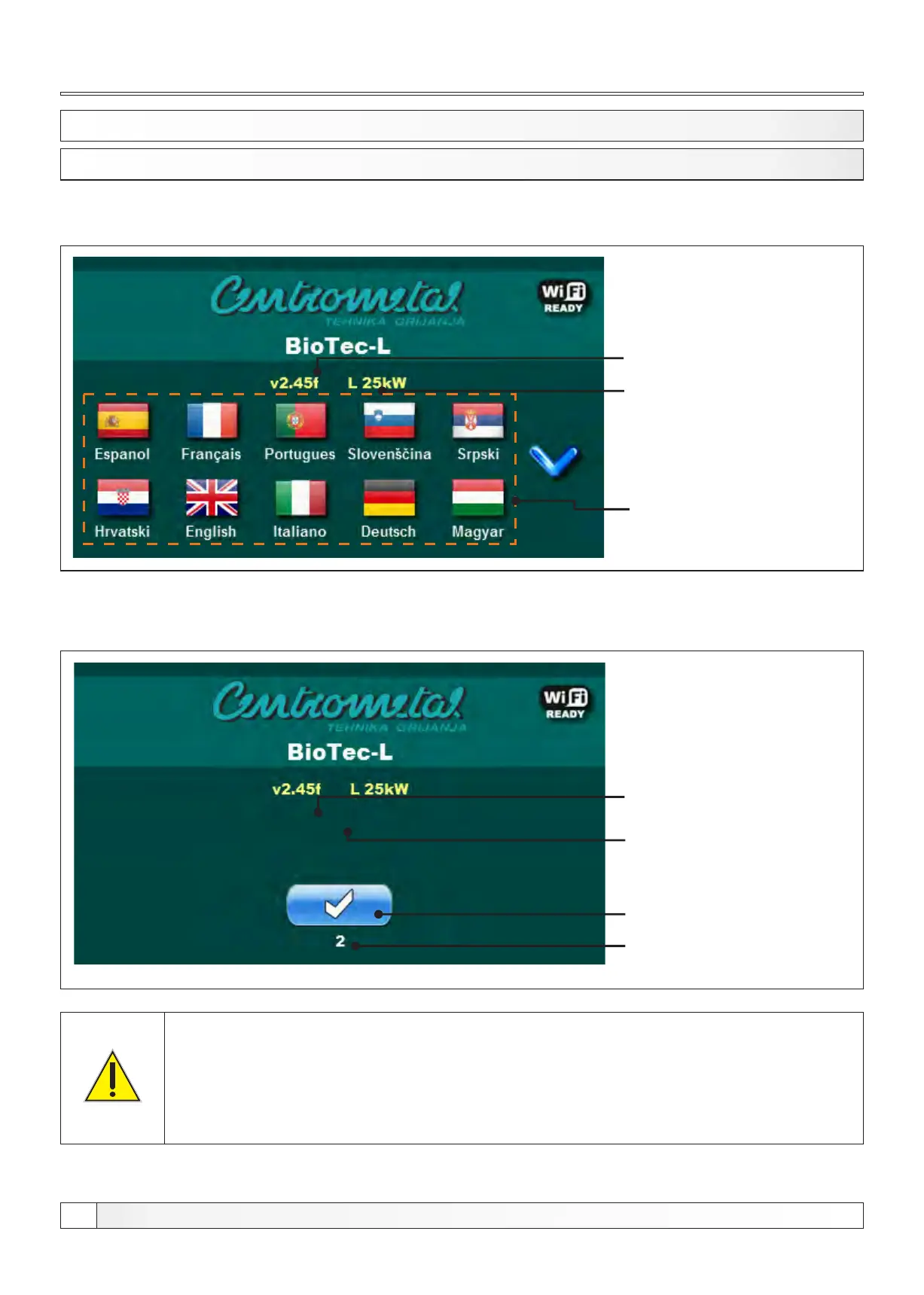
After turning on the main switch, screen will display language selection menu and software version.
To select the language, press the flag of language you want.
Software version
Language selection
1.1. SWITCHING ON
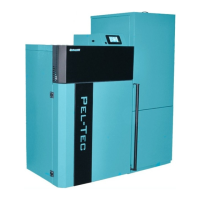
If the language selection is "disabled" (display > language sel > disabled), initial message wil appear in
the screen as long as the set in the menu "Welcome time" (display > welcome time).
Boiler power
(25, 34, 45 kW)
v2.45 XX kW
Button’’OK’’
Initial message duration
(countdown)
Software version
Boiler power
(25, 34, 45 kW)
Description
When turning the main switch the screen should not be pressed (by finger...). If
the screen when you turn the main switch is pressed (on the screen labeled
"Firmware update") regulation is in ”software update“ that can be used by
authorized personnel only. If this happens, it is necessary to turn off the main
switch and restarted without any pressure on the display.
1.0. DESCRIPTION
Technical instructions REGULATION BioTec-L
4


 To Next Page