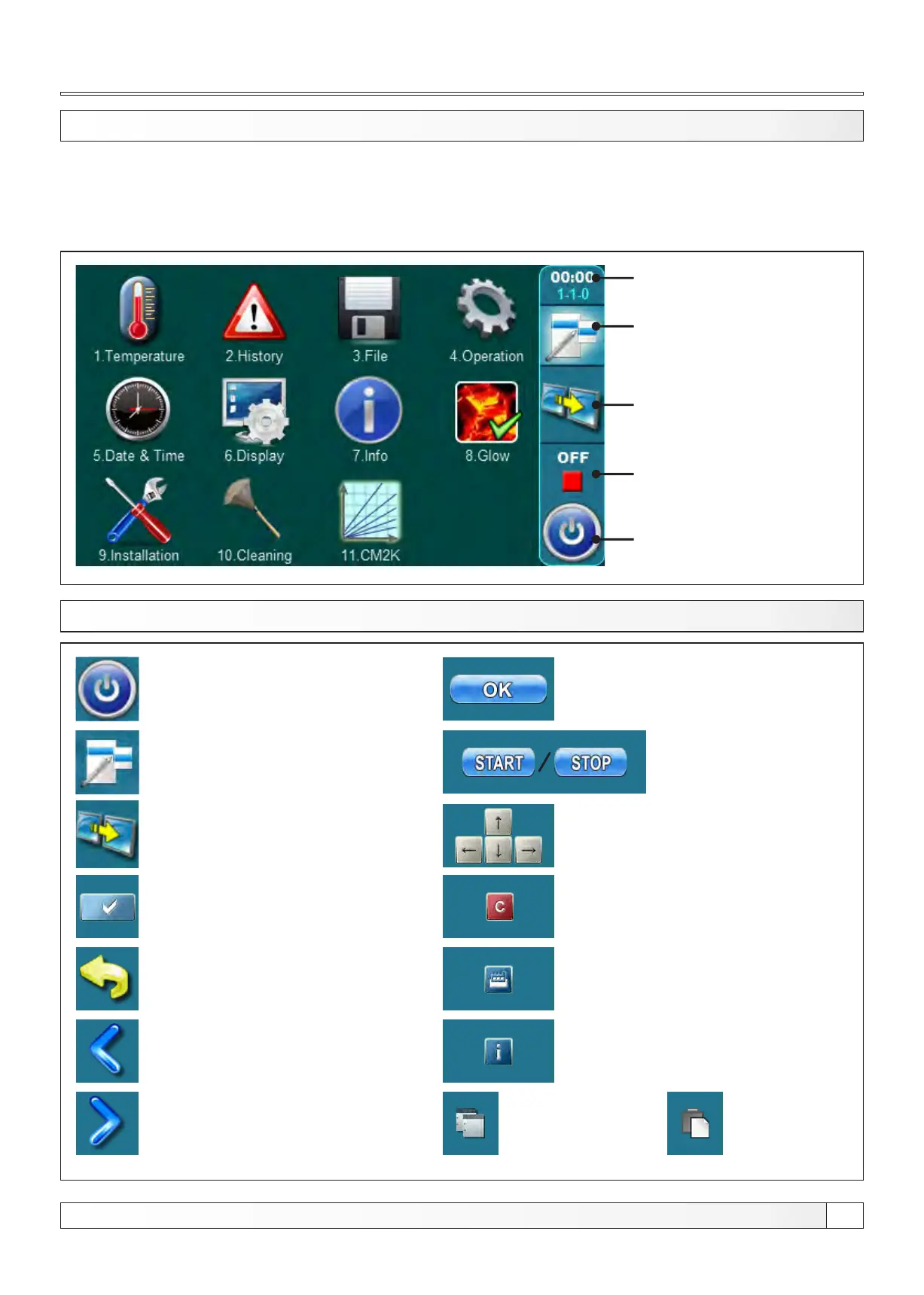
1.2. MAIN MENU
The main menu is used to select the desired submenu. To select a specific menu you must press the
appropriate icon on the screen. To switch between the ’’Main menu’’ and ’’Boiler working display’’ press
the button ’’Display selection’’. To switch between graphic and numeric display of the boiler using press
’’Boiler operation display’’.
Start/stop boiler
State of the current
boiler status
Time
Display selection:
Main menu / work
Boiler operation display :
graphic / numeric
1.3. BUTTONS
Button ’’START’’/’’STOP’’
Button ’’ON / OFF’’
options: on / off boiler operation’’
Button ’’DISPLAY SELECTION’’
options: main menu / work
Button ’’BOILER OPERATION DISPLAY’’
options: graphic / numeric
Button ’’ENTER’’
Button ’’BACK’’
Button’’PREVIOUS SCREEN’’
Button ’’NEXT SCREEN’’
Button ’’OK’’
Navigation buttons:
’’LEFT’’, ’’RIGHT’’, ’’UP’’, ’’DOWN’’
Button ’’DELETE’’
Button ’’FACTORY SETTINGS’’
Button ’’INFORMATION’’
Button ’’COPY’’ Button ’’PASTE’’
Main menu, buttons
Technical instructions REGULATION BioTec-L
5


 To Next Page