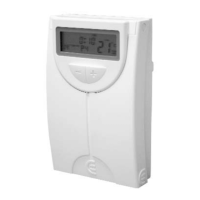
3311
PROG
LU-DOM
In the upper part of the screen, the days of the week start
flashing.
• With the keys, select the group of days :
LUN
MAR
MIE
JUE
VIE
SAB
DOM
.
• Press the key to confirm the programming
block.
1)
Then the hour of the first slot P1 starts flashing.
• With the help of the keys set the start hour
of the first slot. The time can be set in steps of 10
minutes.
• Press the key.
2)
The consignment temperature of the first slot starts
flashing.
• With the help of the keys set the desired
temperature. The temperature can be set in steps of
1 degree.
• Press the key to confirm the programming
and going to the next slot. Repeat the steps 1 and 2
until you have programmed the 6 slots.
Finish the programming by pressing the key.
If you want to modify the programming for any day, do
the following:
Weekly
Programming
• Press the key to go to the main screen.
• Press the key and keep pressing it, then
press the to go to the programming.
In the upper part of the screen, the days of the week start
flashing.
• With the keys, select the day you want to
modify:
LUN … DOM
. The programming will auto-
matically become weekly, and the modified day is
adopted within the programming.
• Press the to confirm the day.
1)
Then the hour of the first slot P1 starts flashing.
• With the help of the keys set the start hour
of the first slot. The time can be set in steps of 10
minutes.
• Press the key.
2)
The consignment temperature of the first slot starts
flashing.
• With the help of the keys set the desired
temperature. The temperature can be set in steps of
1 degree.
• Press the key to confirm the programming
SET
SET
SET
PROG
LU-DOM
PROG
LU-DOM
PROG
LU-DOM
PROG
LU-DOM
PROG
LU-DOM
PROG
LU-DOM


 To Next Page