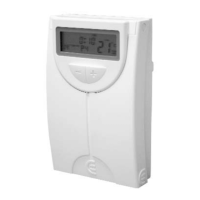
Chronothermostat 5300
3322
and going to the next slot. Repeat the steps 1 and 2
until you have programmed the 6 slots.
Finish the programming by pressing the key.
Repeat this process if you want to modify the program-
ming of any other day.
DISPLAYING
THE
SET
PROGRAMMING
• Press the key to go to the main screen.
• Press the key.
—
If
you
use
a
daily
programming:
• In the upper part of the screen, the seven days of the
week
LUN
MAR
MIE
JUE
VIE
SAB
DOM
are displa-
yed, and in the lower part the screen displays the
start time and temperature of the first slot P1.
• By pressing the key several times, the screen
will display the start time and consignment
temperature of every one of the following slots: P2,
P3, P4, P5 and P6.
—
If
you
use
a
weekly
programming:
Programming
the
current
day:
• In the upper part of the screen it displays the current
day indicator and in the lower part it displays the
start time and the temperature of the first slot P1 of
that day.
• By pressing the several times, the screen will
display the start time and consignment temperature
of every one of the following slots: P2, P3, P4, P5
and P6.
Programming
any
other
day
of
the
week
different
from
the
current
day:
• With the help of the keys select the day of the
week you want to check
LUN
…
DOM
. In the lower
part of the screen the start time and consignment
temperature for the first slot P1 are displayed.
• By pressing the key several times, the screen
will display the start time and consignment
temperature of every one of the following slots: P2,
P3, P4, P5 and P6.
• If you want to check the programming for any other
day, repeat the steps above.
• To go back to the main screen, press the key.
HOW TO MANUALLY CHANGE THE CONSIGNMENT
TEMPERATURE
The manual variation of the consignment temperature
may be done in four different ways:
• Until the next slot.
• During a certain number of hours ( selectable from 1
to 9 hours).
• During a certain number of days ( selectable from 1
to 99 days).
• Permanently.
SET
SET
SET
PROG
LU-DOM
PROG
LU-DOM
PROG
LU-DOM
PROG
LU-DOM


 To Next Page