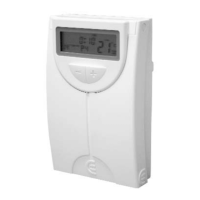
Chronothermostat 5300
3344
When you make a manual variation of the consignment
temperature during a certain number of days, the screen
alternatively displays the time remaining until the next
slot together with a consignment temperature indicator,
and the word FIJAR.
HOW TO CHANGE THE CONSIGNMENT TEMPERATU-
RE
PERMANENTLY
• Press the key to go to the main screen.
• Press the key to increase the consignment value.
• Press the key to decrease the consignment
value.
• Pres the key to keep the temperature perma-
nently.
NOTE: If you want to cancel the temperature manual
variation and go back to the temperature adjusted in the
program, press the key.
When you make a manual permanent variation of the
consignment temperature , the screen displays the word
FIJAR besides the consignment temperature indicator.
OPERATING
TIME
The crono-thermostat includes different historical reports
with the operating times:
• Operating time during the current day.
• Operating time during the day before.
• Operating time during the current week.
• Operating time during the week before.
• Total operating time.
To display the operating times:
• Press the key to go to the main screen.
• When you press for the first time the key, the
screen displays the operating time during
the current day.
• When you press for the second time the key,
the screen displays the operating time
during the day before.
• When you press for the third time the key,
the screen displays the operating time during
the week in which you make the query. The indicator
SUN starts flashing.
• When you press for the fourth time the key,
the screen displays the operating time during
the week before you make the query. The indicator
with the days of the week stays fixed.
SET
SET
SET
TIEMPO
FUNC.
TIEMPO
FUNC.
TIEMPO
FUNC.
TIEMPO
FUNC.
FIJAR


 To Next Page