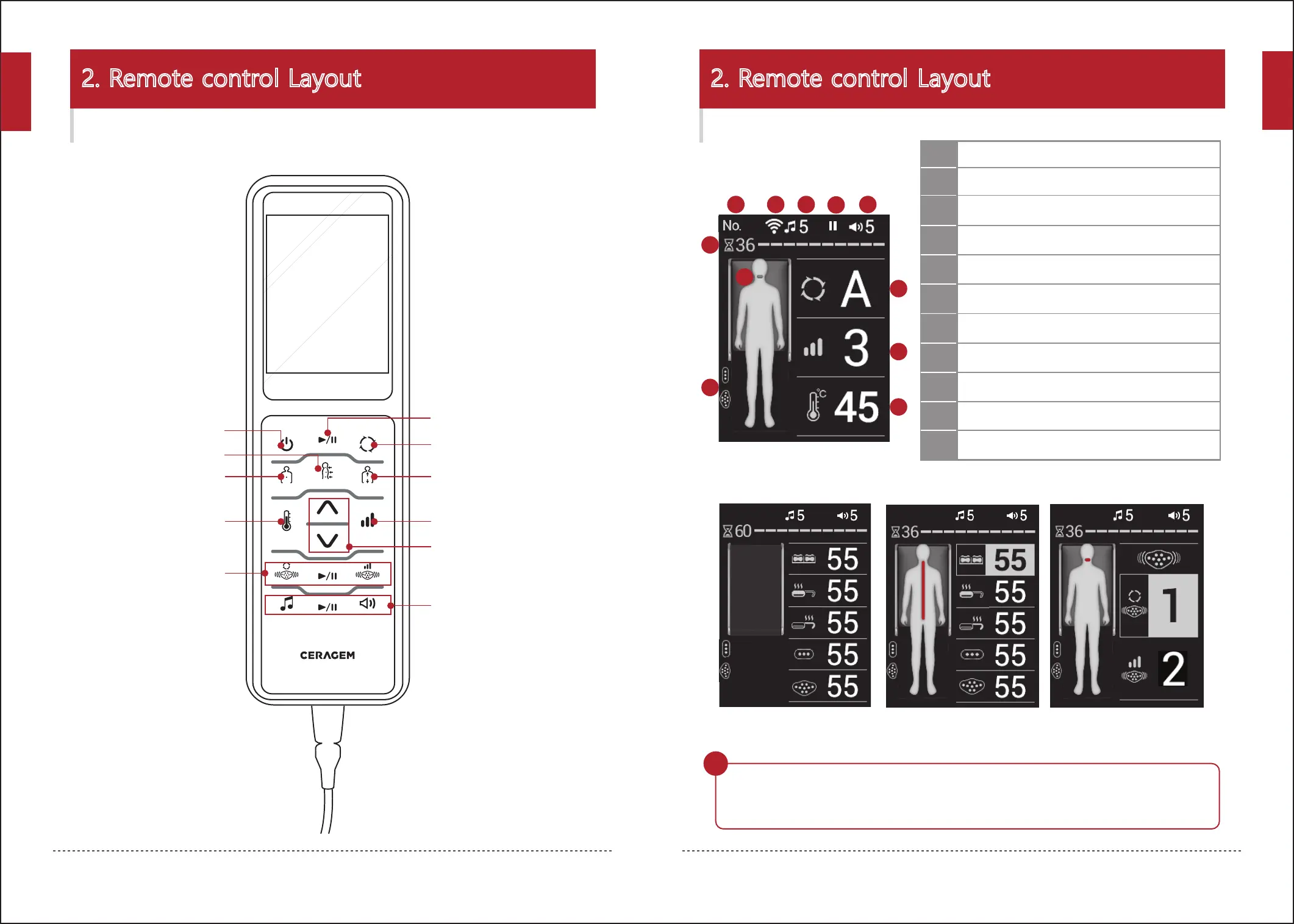
Strength select button
Semi-automatic mode button
Sound select,
Start/Pause,
Volume control button
Mode Start/Pause button
Automatic mode button
Control button
Power button
Manual mode button
Temperature select button
Abdominal vibration
projector mode,
Start/Pause,
Strength Select button
Intensive mode button
18
2. Remote control Layout2. Remote control Layout
19
Buttons on the remote control Screen display
- When the supporting mat is closed, an image of the closed supporting mat will be displayed.
- When 10 seconds have passed after the remote control was last operated, the screen
will become dark. (When a button is operated, the screen will become bright again.)
Wait!
5
When setting
the vibration projector
When using
the thermal sofa
When setting
the temperature
01
- Main screen -
1
6
8
9
10
2
3 5
4
7
11
Time remaining (in minutes)
Projector location
Mode
(Automatic mode A,1~9/Intensive/Semi-automatic/Manual)
Strength display (1~9)
Volume(0~20)
Sound source
(Ceragem sound / USB / Bluetooth / Voice guidance)
Sound pause
3
Internet connection
(when connected icon)
2
product no.
1
4
5
6
7
8
9
Internal projector temperature
(30~65℃)
11
10
Display of connection of the 3-sphere projector
and the abdominal vibration projector
English
English


 To Next Page