Citation SERVICE BULLETIN
SB560-34-114
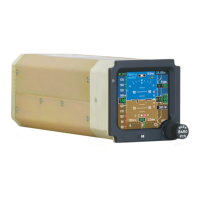
F. (Airplanes with the 7017000-80159 and 7017000-81159 IC-600 Display Guidance Computers)
Change the display guidance computers.
(1) Remove the 7017000-80159 and 7017000-81159 Display Guidance Computers. (Refer to the
Maintenance Manual, Chapter 34, Honeywell Primus 1000, Display and Flight Guidance
System - Maintenance Practices.)
(2) Send the removed 7017000-80159 and 7017000-81159 Display Guidance Computers to
Cessna Ai rcraft Company.
NOTE: Operators: The 7017000-80159 and 7017000-81159 Display Guidance Computers
may be upgraded. Contact Cessna Citation Repairs to schedule modification
at 1.866.349.8436 (US/Canada) or 1.316.517.8079 (International) or telefax
316.206.4068 or email to: citationrepair@cessna.textron.com. This will require
advance notification. Cessna Citation Repairs will schedule the units and arrange for
their return. Allow ten to fourteen days for modification after receipt of parts from
Citation Parts Distribution. This service bulletin may not be signed off as completed
unless the units are scheduled through Cessna Citation Repairs.
(3) Install the 7017000-80160 and 7017000-81160 Display Guidance Computers (Refer to the
Maintenance Manual, Chapter 34, Honeywell Primus 1000, Display and Flight Guidance
System - Maintenance Practices.)
6. Install the upgraded components that follow: (Refer to the Maintenance Manual, Chapter 23, Honeywell
Primus Intergarted Radio System, Maintenance Practices.)
• Two radio management units (RMU)
• Two integrated comm units
• One CD-850
7. Make sure that there are no leaks in the pitot/static system. (Refer to the Maintenance Manual, Chapter
34, Pitot-Static System - Adjustment/Test.)
8. Remove maintenance warning tags and connect external electrical power.
9. Configure the TCAS II system. (Refer to Cessna Engineering Drawing 9690536.)
10. Configure the transponders. (Refer to Cessna Engineering Drawing 9690561.)
11. Do a functional check of the Honeywell Primus II Mode S transponders.
NOTE: Make sure that the transponder Mode S address programming has been completed. (Refer
to Cessna Engineering Drawing 9690561.)
NOTE: Make sure that the calibration of the test equipment is current.
A. When selecting a Transponder code, use caution not to transmit on the codes that follow:
(1) Code 0000 - Military Intercept Code
(2) Code 7500 - Hijack Code
(3) Code 7600 - R
adio failure
(4) Code 7700 - Emergency Code
B. Make sure that all of the appropriate circuit breakers are engaged.
C. Turn the avionics power switch ON.
D. On the RMU 1 Controller, set the ATC transponder code to 1200 and transponder mode to 1
ATC ALT .
E. Set XPDR ENC ALT, PRI/SEC annunciator switch to PRI.
F. Transponder Operation:
(1) Disconnect the bottom aircraft XPDR 1 antenna
Aug 13/2004 560-34-114
Revision 2 - Jan 2/2007 Page 13


 To Next Page