Citation SERVICE BULLETIN
SB560-34-114
(3) Measure the distance along the shop floor/ramp between the test set antenna and the XPDR 1
antenna.
(4) Use the SELECT
and SLEW buttons to place that value in the RANGE field.
(5) Measure the distance between the aircraft bottom antenna and the ramp/shop floor.
(6) Use the SELECT and SLEW buttons to place that value in the Height field.
(7) Fill in the GAI
N 1030= and GAIN 1090= fields with the gains from the flat plate antenna label.
(8) Fill in the LOSS- fieldwiththevaluefromthesleeveonthecoaxcable.
(9) Select the bottom antenna for testing.
(10) Set th e RMU 1 Co
ntroller to 1 ATC ALT.
(11) Use the SELECT button to select SQUITTER test.
(12) Press the RUN/STOP button on either the test set or flat plate antenna.
(13) If applicable v
erify the tail number displayed is correct or verify the MODE S, 24 bit fixed
Identifi er Address (Call Sign) is correct.
(14) Do Steps 12G(1) through 12G(13) for XPDR 2 and RMU 2.
H. Encoded Altit
ude Test:
(1) Connect the Laversab Pitot Test Set to pilots and co-pilots pitot and static systems.
(2) Set the ATC-601 Test Set to ATCRBS Test.
(3) Press the RUN/
STOP button on either the test set or flat plate antenna.
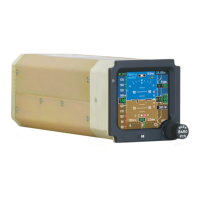
(4) Make sure that the ALT= field displays approximately field elevation and EADI 1 & 2 displays
the same altitude within 125 feet.
(5) Set the Pitot S
tatic Tester to a airspeed greater than 80 knots and increase altitude to check
altitude transitions per the following table.
(6) Check at least three points.
(7) When the maxim
um altitude is reached, return to Main Menu and select Line Select Key to
display ATC Control page.
(8) Make sure that the display reports FLIGHT LEVEL 1 and the altitude displayed on the ATC-601
Test Set and pi
lot’s EADI are within 125 feet.
(9) When the maximum altitude has been checked on increasing altitude, slowly descend while
checking the same altitude transitions points while descending with the SEC ENC ALT Air
Data Computer
.
Aug 13/2004 560-34-114
Revision 2 - Jan 2/2007 Page 15


 To Next Page