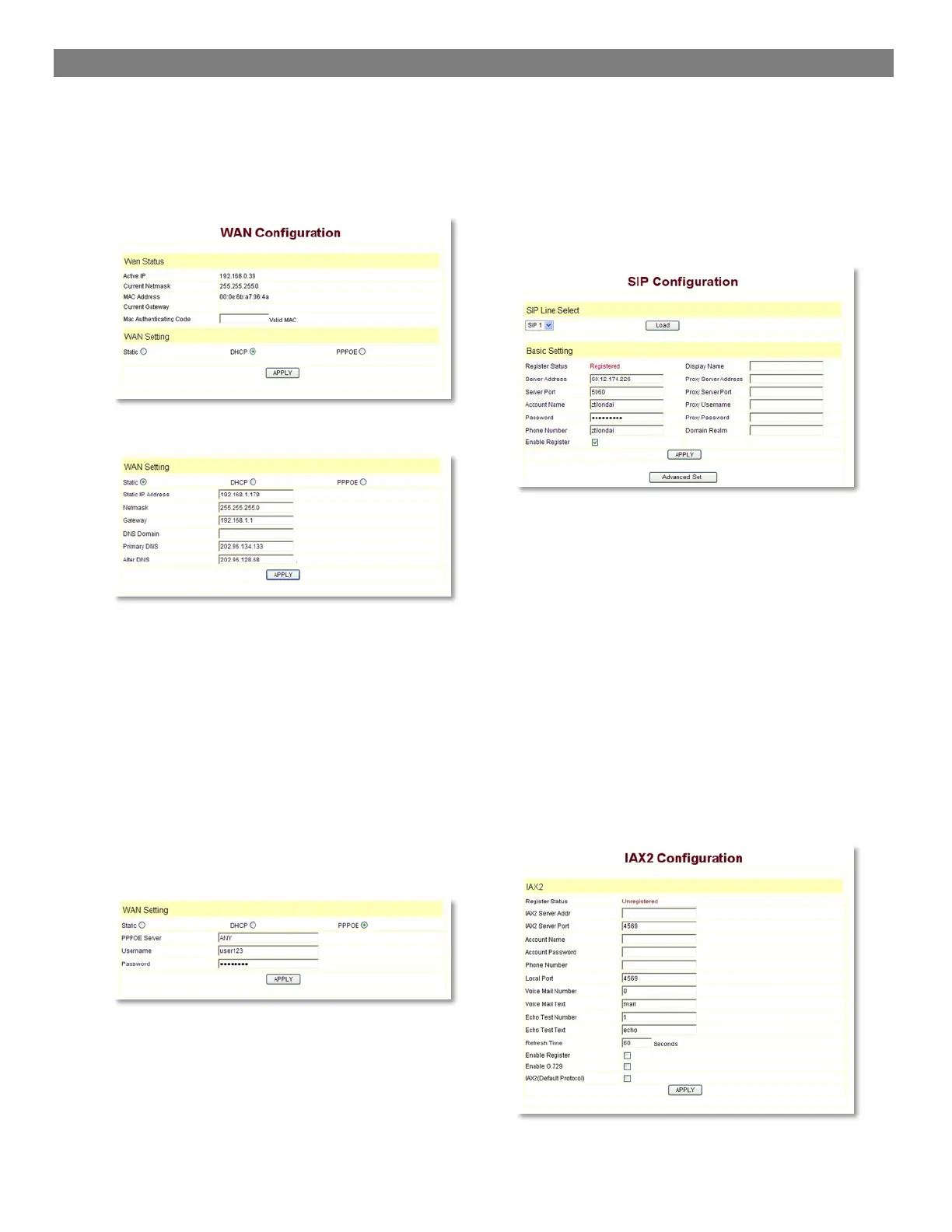
The connection ways of entering the Network!WAN
Config layout phone of the net port:
3300IP could be connected to Internet by using the
static IP, DHCP IP, or PPPoE dialing.
Configure Static IP:
- choose static;
- fill in the IP address of 3300IP in the IP address;
- fill in the subnet mask in Netmask;
- fill in the router address or up Gateway address
in the Gateway;
- fill in the local DNS server address in the Primary
DNS and Alter DNS respectively.
Use the configure to dynamic obtain IP to get IP address:
- choose DHCP option.
Now, if the network has DHCP server, then 3300IP will
get IP address, Netmask, Gateway, Primary DNS and
Alter DNS from this DHCP server automatically.
Use PPPoE dialing to connect the Internet:
- choose PPPoE option.
- please fill in the account and password which
PPPoE have dialed in the PPPoE Username and
Password.
So 3300IP could connect the Internet through PPPoE
dialing, and automatically get IP address, Netmask,
Gateway, Primary DNS and Alter DNS and so on.
4.2.2 SIP setting:
Enter into the VoIP ! SIP Config to set the layout config
and sip account information:
Register Server Addr: Register address of public SIP
server
Register Server Port: Register port of public SIP server.
default port is 5060
Register Username: Username of your SIP account
(Always the same as the phone number)
Register Password: Password of your SIP account.
Phone Number: Phone number of your SIP account
- choose Enable Register;
You can dial VoIP phone when the WAN interface and
IAX protocol are being set correctly.
4.2.3 IAX setting


 To Next Page