3.2 Current state
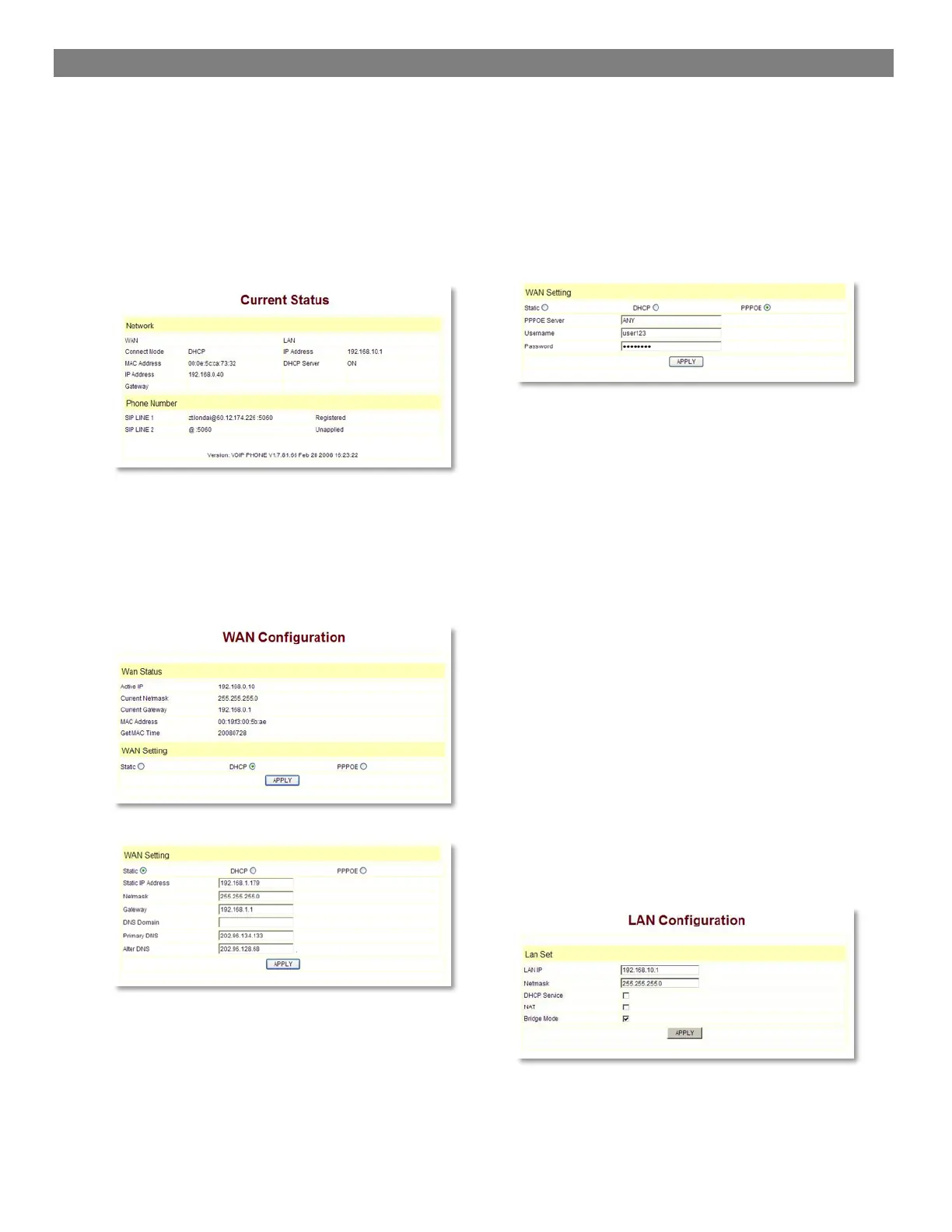
This page layout shows the work state of VoIP phone.
The network part shows the connection state of WAN
interface and LAN interface and the network setting; the
work state of Public SIP service of VoIP part, and here
you can see the registration and whether registered to
the server or not. The Phone Number part shows the
telephone numbers in Private SIP server and Public
SIP server.
3.3 Network
3.3.1 Wan Config
WAN port network setting page.
Support static IP, dynamic obtain IP and PPPoE.
Configure Static IP
- Enable Static;
- Set 3300IP’s IP address in the IP Address;
- Set netmask in the Netmask field;
- Set router IP address in the Gateway;
- DNS Domain:
- Set local DNS server in the Preferred DNS and
the Alternate DNS。
Configure to dynamic obtain IP
Enable DHCP;
If there is DHCP server in your local network, 3300IP
will automatically obtain WAN port network information
from your DHCP server.
Configure PPPoE:
- Enable PPPoE
- PPPoE server: Enter “ANY” if no specified from
your ITSP.
- Enter PPPoE username and pin in the username
and password.
3300IP will automatically obtain WAN port network
information from your ITSP if PPPoE setting and the
setup are correct. Notice: If user accesses the IP
phone through WAN port. He/She should use the new
IP address to access the IP phone when the WAN port
address was changed.
3.3.2 LAN Config$
LAN IP Netmask: Set the IP Netmask for the LAN
DHCP Server: Enable DHCP service in LAN port;
after user changed LAN IP, phone will automatically
modify DHCP Lease Table and save the configure
according to IP and netmask, DHCP server configure
won’t take effect unless you reboot the device.
NAT: Enable NAT.
Bridge Mode: Enable this option to switch to bridge
mode. IP phone won’t assign IP for its LAN port in
bridge mode and its LAN and WAN port will be in the
same network. (This setting won’t take effect unless
you save the config and reboot the device)



 To Next Page