Function
• Provide a Backup SIP Server
• Support NAT (Network Address Translation), Firewall
• Support DHCP for phone to accept IP via WAN port or assign IP address via LAN port
• Support PPPoE(used while connecting ADSL,cable modem)
• Update the firmware and/or configuration file program through HTTP,FTP and TFTP
• Check the dynamic voice; Soft the noise; Buffer technique of voice
• Hold Function
• Hotline Function (dial a specific number as soon as going off-hook, or set a delay before dialing)
• Speed-dial
• Call-forward, Three-way conference call
• Caller ID display
• DND (Do Not Disturb), Black List, Limit List
• Auto-answer.
• Set through standard Web Browser
• Remote Management Function
• Classification management for common user’s password and superuser’s password.
Standard and Protocols
• IEEE 802.3 /802.3 u 10 Base T / 100Base TX
• PPPoE
• DHCP Client and Server
• Support G.711a/u,G729, G7231 5.3/6.3 audio Codec
• SIP RFC3261, RFC 2543
• Support IAX2
• TCP/IP: Internet transfer and control protocol (Transport Control Protocol/Internet Protocol)
• RTP: Real-time Transport Protocol
• RTCP: Real-time Control Protocol
• VAD/CNG save bandwidth (Voice Activity Detection/
• Telnet: Internet's remote login protocol
• DNS: Domain Name Server
• TFTP: Trivial File Transfer Protocol
• Introduction
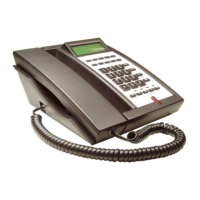
• This is the user manual for the 3300IP. Some configuration is necessary before using the 3300IP phone. This
manual will illustrate how to set up the phone through keyboard and web User Interface (UI).
1.1 Overview of Hardware
1.1.1
The two RJ-45 network interface support the 10/100M Ethernet. The default WAN interface is a DHCP Client server.
User connect the WAN interface to ADSL or switch, Lan is web-bridge mode, and bridged the LAN and WAN into the
same network. You can use the administrator’s user name “admin” and password “admin” to login and set.
1.1.2
Only the WAN interface supports the POE.


 To Next Page