Converting a 2D Picture Into a 3D Model
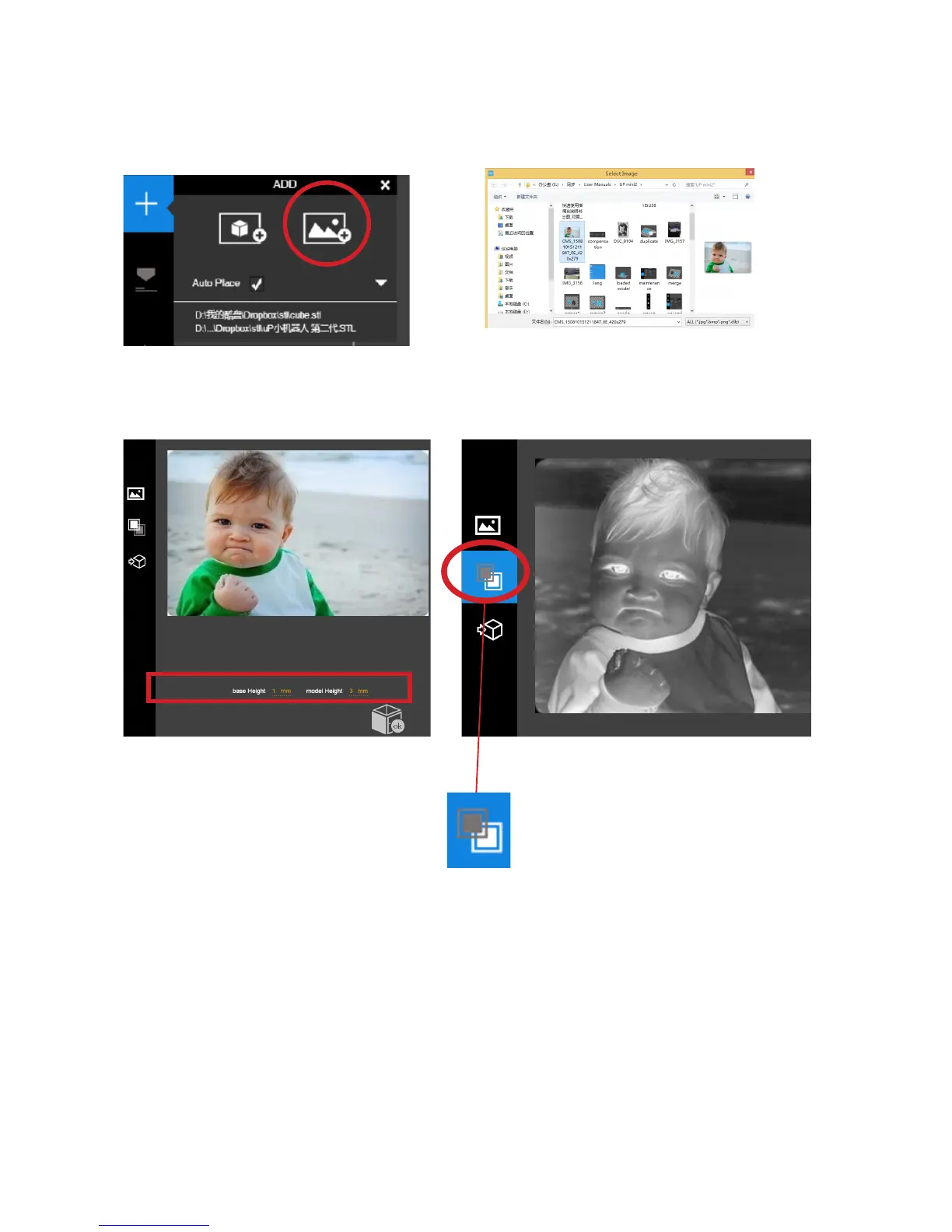
Click the “Add Picture” button and select a picture.
The "Convert Negative" button
will reverse the pixel intensity
so that user could choose the
picture to be protruding from or
sunken into the base.
Base Height determines the thickness
of a at layer that holds the picture.
Model Height determines the contrast
of the nal print.



 To Next Page