Hardware Setup
15
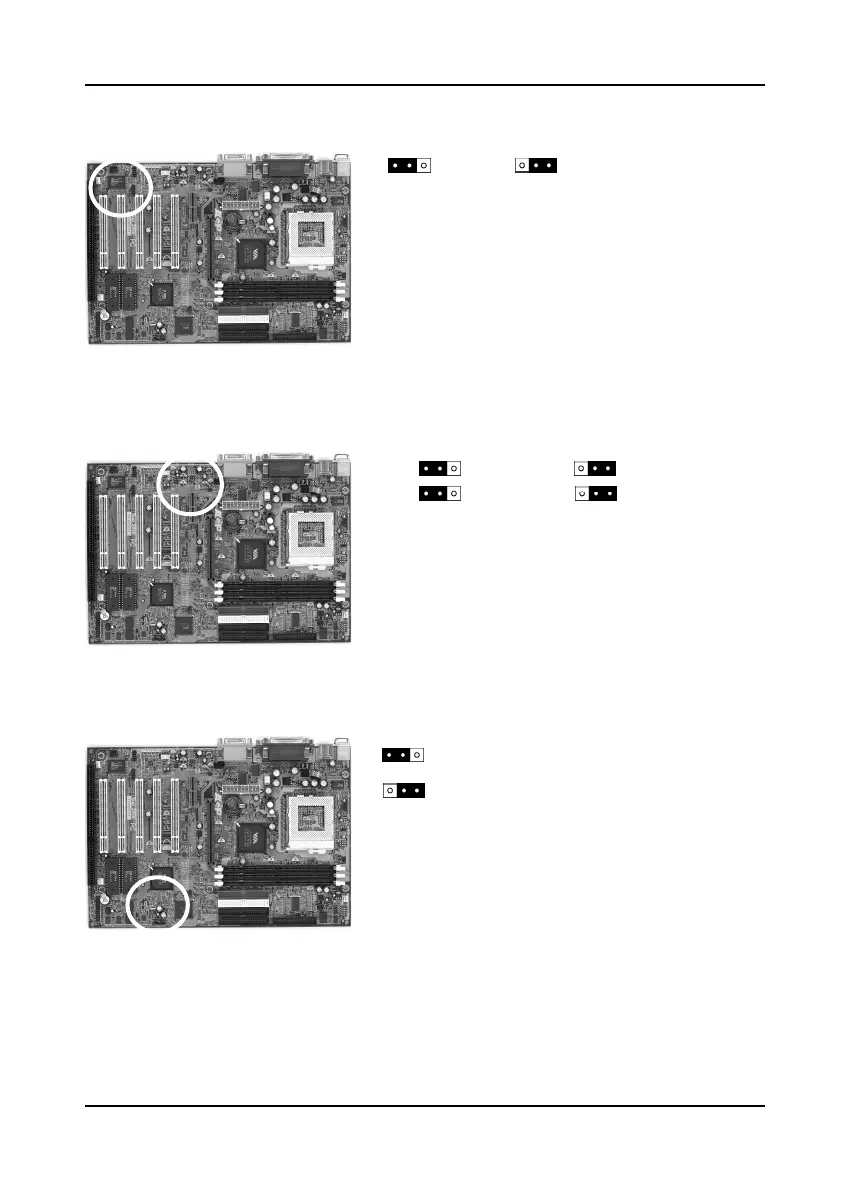
Optional Onboard Audio (JP1)
This function allows you to enable and disable
the on board audio. You must set the jumper's cap
to pins 1-2 to enable or set pins 2-3 to disable
this function.
Audio Line_out or Speaker_out (JP3/JP4)
This jumper allows you to select between audio
line-out or speaker out function. Set both JP3 and
JP4 pins to 1-2 for line-out function or set both JP3
and JP4 pins to 2-3 for speaker out function.
Optional Boot BIOS Select (JP5)
This feature allows you to select a BIOS to boot
up your system. Set the pin to 1-2 to enable Boot
BIOS select in the BIOS Features Setup and then
select either BIOS 1 or BIOS 2 for startup (see
section 2-4).The feature also allows you to
manually shift to another BIOS once the BIOS fail
to boot. Set pin to 2-3 to boot from BIOS 1 and
then press the power on button to boot up or press
reset and power on button hold for 2-3 second and
then release to boot from BIOS 2.
Enable
1
Disable
JP3
JP4
1
Line_out
JP3
JP4
1
Speaker_out (default)
1
Boot BIOS select (default)
1
BIOS 1 (Power on only)/
BIOS 2 (Power on + Reset button)



 To Next Page