Hardware Setup
17
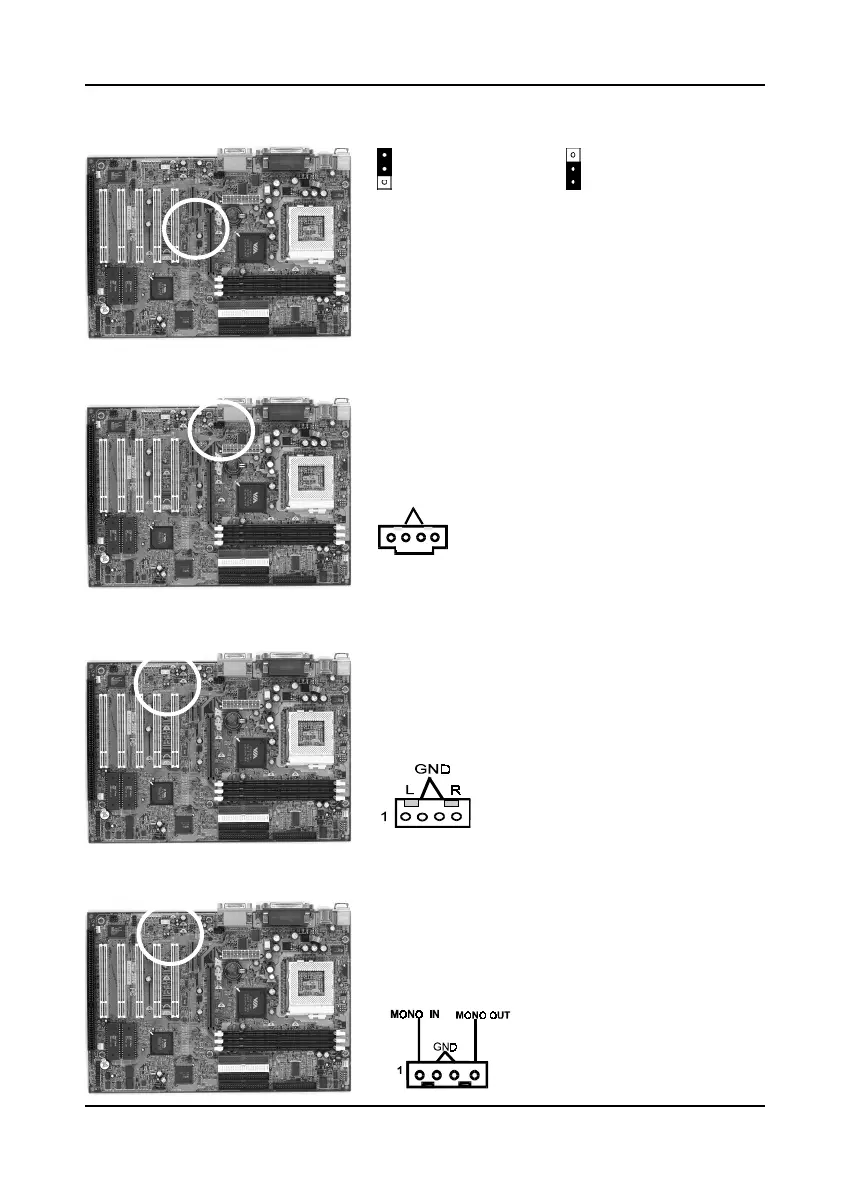
Optional IDE RAID Controller (JPX1)
The mainboard (optional) support IDE RAID 0/
1,0+1 feature. To use this function, set the jumper's
cap to pins 1-2 to enable or set pins 2-3 to disable
this function.
CD-ROM Audio-in Connector (CN2)
Use the audio cable enclosed with your CD-ROM
disk drive to connect the CD-ROM to your
mainboard. This will enable your CD-ROM's
audio function.
Auxiliary CD-ROM Audio-in Connector (CN3)
Use the auxiliary audio cable enclosed with your
CD-ROM disk drive to connect the CD-ROM to
your mainboard. This will enable your CD-ROM's
audio function.
Optional Audio Mono -in/out Connector (CN4)
Use the mono audio cable enclosed with your CD-
ROM disk drive to connect the CD-ROM to your
mainboard. This will enable mono audio in/out
function.
L
1
R
GND
Enable (Default)
Disable



 To Next Page