7
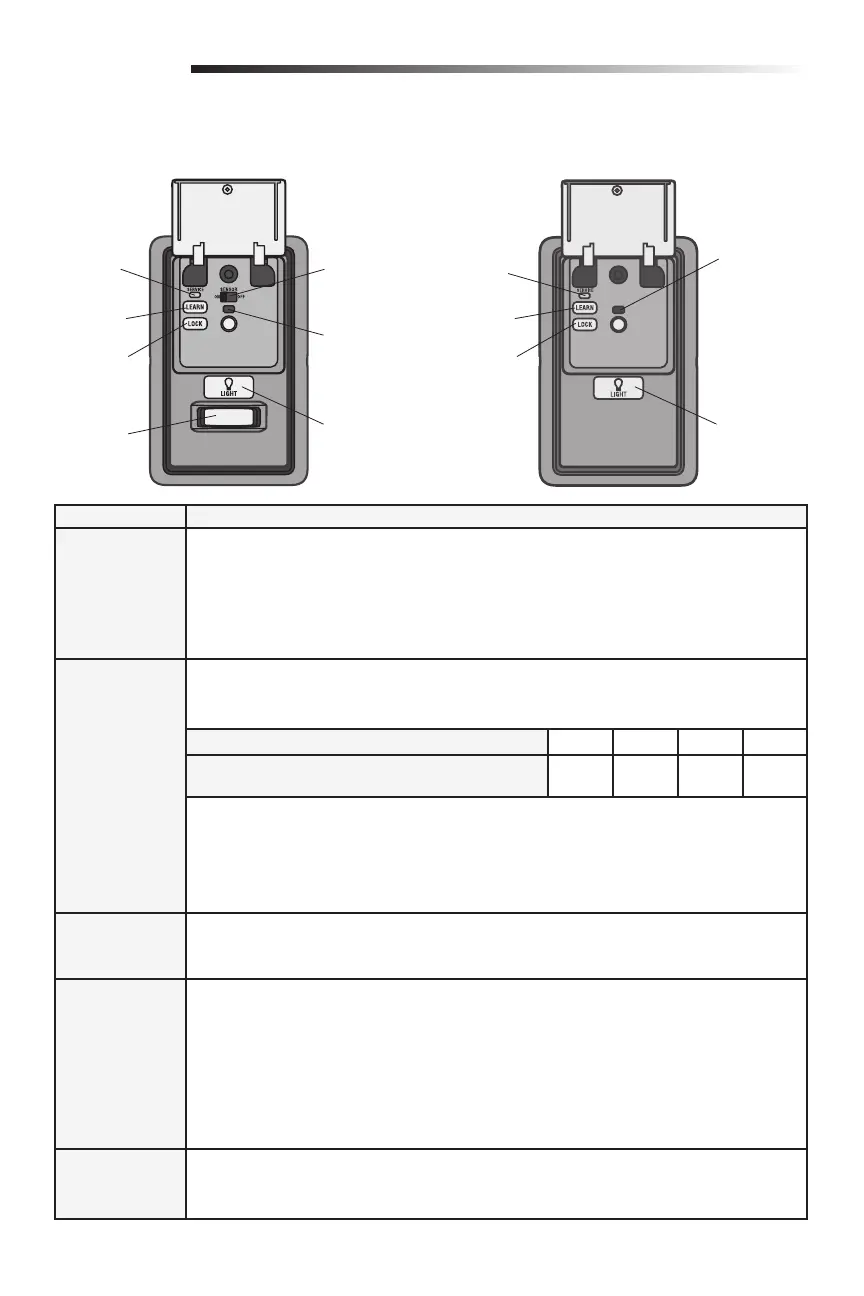
Service
LED
LEARN
Button
LEARN
Button
LOCK
Button
LOCK
Button
Motion
Sensor
Operation
Features
Lock NOTE: Your remote controls will NOT work when LOCK mode is active however your keyless
entry will still allow access to your garage.
Activate: Press and hold the LOCK button for 2 seconds. The command LED will fl ash as long
as the lock feature is activated and your handheld remote control will not operate your door at
this time.
Deactivate: Press and hold the LOCK button again for 2 seconds. The command LED will stop
fl ashing and normal operation will resume.
Light To change the amount of time the garage door opener lights will stay on:
Press and hold the LOCK button until the garage door opener lights fl ash.* The time interval is
indicated by the number of fl ashes.
To cycle through the time intervals repeat the step above.
Deactivate: Press and hold the LIGHT button until the garage door opener lights turn on, then
off again.*
Activate: Start with the garage door opener lights on. Press and hold the LIGHT button until the
garage door opener lights turn off, then on again.*
* Approximately 10 seconds
Motion Sensor
(Motion-Detecting
Control Panel)
Activate/Deactivate: Slide the motion sensor switch ON or OFF.
To Program a
Remote Control
or Keyless Entry
1. Press the LEARN button on the door control to enter Programming Mode.
2. Press the LEARN button again, the LED will fl ash once.
3. Remote Control: Press the button on the remote control that you wish to operate your garage
door.
Keyless Entry: Enter a 4-digit personal identifi cation number (PIN) of your choice on the
keyless entry keypad. Then press the ENTER button.
The garage door opener lights will fl ash (or two clicks will be heard) when the code has been
programmed. If programming is unsuccessful, repeat steps 1-3 or program the remote using
the learn button on the garage door opener.
Maintenance
Alert System
(MAS)
Activate/Deactivate
Press and hold the LEARN button. Then press the LIGHT button. The service LED will fl ash the
status; Active is 2 fl ashes and deactivated is 3 fl ashes.
NUMBER OF TIMES GARAGE DOOR OPENER LIGHTS FLASH 1234
TIME THE GARAGE DOOR OPENER LIGHT STAYS ON 1 ½
Minutes
2 ½
Minutes
3 ½
Minutes
4 ½
Minutes
Motion Sensor
Switch
Command
LED
Service
LED
LIGHT
Button
LIGHT
Button
Command LED
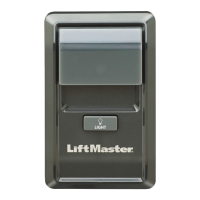
MULTI-FUNCTION CONTROL PANELMOTION-DETECTING CONTROL PANEL
Programming - Door Control Panel






 To Next Page