EasyManua.ls Logo

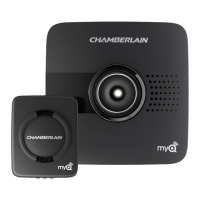
Chamberlain MyQ Garage - User Manual

Chamberlain MyQ Garage
8 pages
Print Icon
To Next Page IconTo Next Page
Loading...
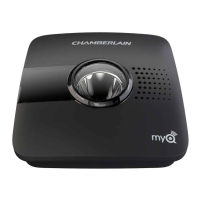
MyQ Garage
TM
Universal Smartphone
Garage Door Controller
USER’S GUIDE
(affi x serial number label)
Serial Number

Other manuals for Chamberlain MyQ Garage

Question and Answer IconNeed help?

Do you have a question about the Chamberlain MyQ Garage and is the answer not in the manual?

Summary

Safety Warnings

General Safety Instructions

Crucial safety advice for operating the garage door controller and preventing injuries.

Whats in the Box

Before Starting Requirements

1 CONNECT TO NETWORK

Connect with Mobile Device

Step-by-step guide to connect the Wi-Fi Hub to your network via a mobile device.

Alternate Connection: WPS Setup

Instructions for connecting the Wi-Fi Hub using the WPS method for network setup.

2 INSTALLATION

3 REGISTER AND TRY IT

Troubleshooting and Help

Guidance for common issues, resetting the hub, and understanding LED indicators.

Wi-Fi Hub Status Indicators

Explanation of LED colors and states for Wi-Fi Hub status and connectivity.

Support and Legal Information

Replacement Parts & Contact

Information on available replacement parts and customer support contact details.

Warranty and Software Terms

Details regarding the product's limited warranty and software usage agreement.

Summary

Safety Warnings

General Safety Instructions

Crucial safety advice for operating the garage door controller and preventing injuries.

Whats in the Box

Before Starting Requirements

1 CONNECT TO NETWORK

Connect with Mobile Device

Step-by-step guide to connect the Wi-Fi Hub to your network via a mobile device.

Alternate Connection: WPS Setup

Instructions for connecting the Wi-Fi Hub using the WPS method for network setup.

2 INSTALLATION

3 REGISTER AND TRY IT

Troubleshooting and Help

Guidance for common issues, resetting the hub, and understanding LED indicators.

Wi-Fi Hub Status Indicators

Explanation of LED colors and states for Wi-Fi Hub status and connectivity.

Support and Legal Information

Replacement Parts & Contact

Information on available replacement parts and customer support contact details.

Warranty and Software Terms

Details regarding the product's limited warranty and software usage agreement.

Chamberlain MyQ Garage Specifications

General IconGeneral
BrandChamberlain
ModelMyQ Garage
TypeSmart Garage Door Opener
ConnectivityWi-Fi
Remote MonitoringYes
Remote ControlYes
CompatibilityMost garage door openers made after 1993
ControlSmartphone, Tablet
Voice ControlGoogle Assistant
SecurityEncrypted communication
Power SourceAC Adapter
DimensionsVaries by model
WeightVaries by model
AlertsReal-time notifications
InstallationDIY installation
Mobile AppMyQ
Battery LifeN/A (Wired)

Related product manuals