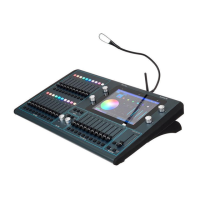
ChamSys MQ100 Series Service Document
Page 9 of 22 www.chamsys.co.uk
Removing the Fader and Encoder Knobs:
In order to remove the front metalwork panels and PCB on MQ100 Expert consoles, the
fader and encoder knobs must be removed. On Pro2010 and Pro2014 consoles the
encoder knobs do not need to be removed.
The fader knobs are simply pressed onto the faders. These can be removed by placing
your fingers under each end and pulling upwards. Take care as the metal on the fader
shaft may have sharp corners.
Each encoder knob is screwed onto the shaft of the
encoder. The grub screw can be accessed via the
hole in the side of each encoder knob as pictured
to the left.
These require a 2mm Allen key or ball driver to
undo. Under no circumstances should you attempt
to pull off the knob without undoing the screw first
as this will cause the encoder to break.
When replacing encoder knobs, ensure there is a
gap of a couple of millimetres between the knob
and the panel, to ensure free movement of the
encoder.
On newer Pro2014 consoles the silver fluted
encoders are fixed using small flat head screws, so
should be removed using a small flat head
screwdriver instead.
Replacement faders, encoders and encoder/fader
knobs can be purchased from ChamSys. See the
end of this document for contact details.


 To Next Page
 Loading...