ChamSys MQ80 Service Document
Page 7 of 19 www.chamsys.co.uk
Removing the side and front metalwork:
For any other repairs to the console, such as screen replacement and changing PCB
components such as faders, buttons and encoders, the front panel metalwork needs to
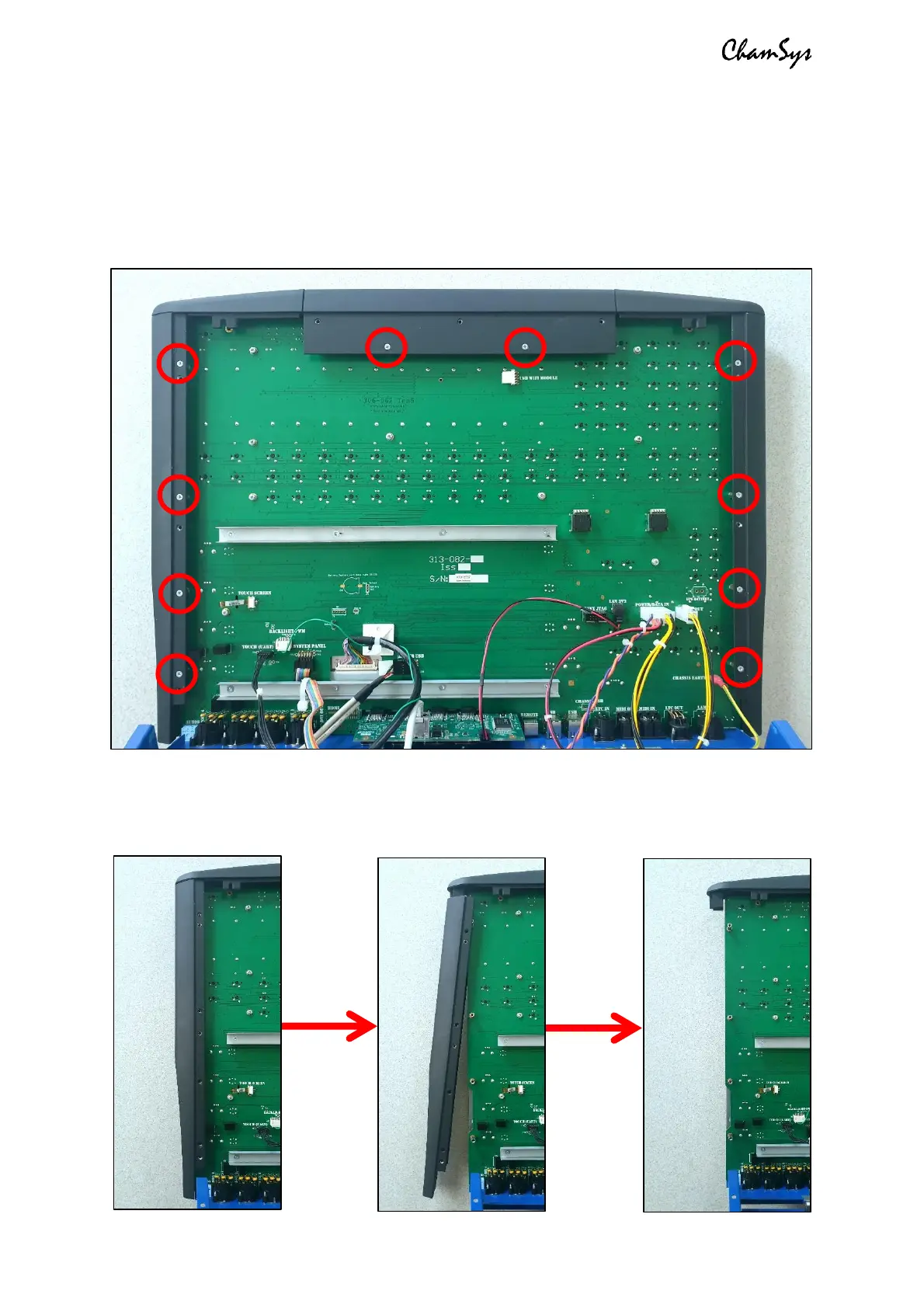
be removed. The side and front extrusions are first removed. Start by unscrewing the 10x
M3x6 countersunk screws securing the metal extrusions into the PCB, as pictured below.
The side extrusions can then be removed by pulling the lower part away from the
console and gently then pulling down to remove as shown in the images below. Repeat
this for both side extrusions on the console.


 To Next Page
 Loading...