ChamSys MQ80 Service Document
Page 8 of 19 www.chamsys.co.uk
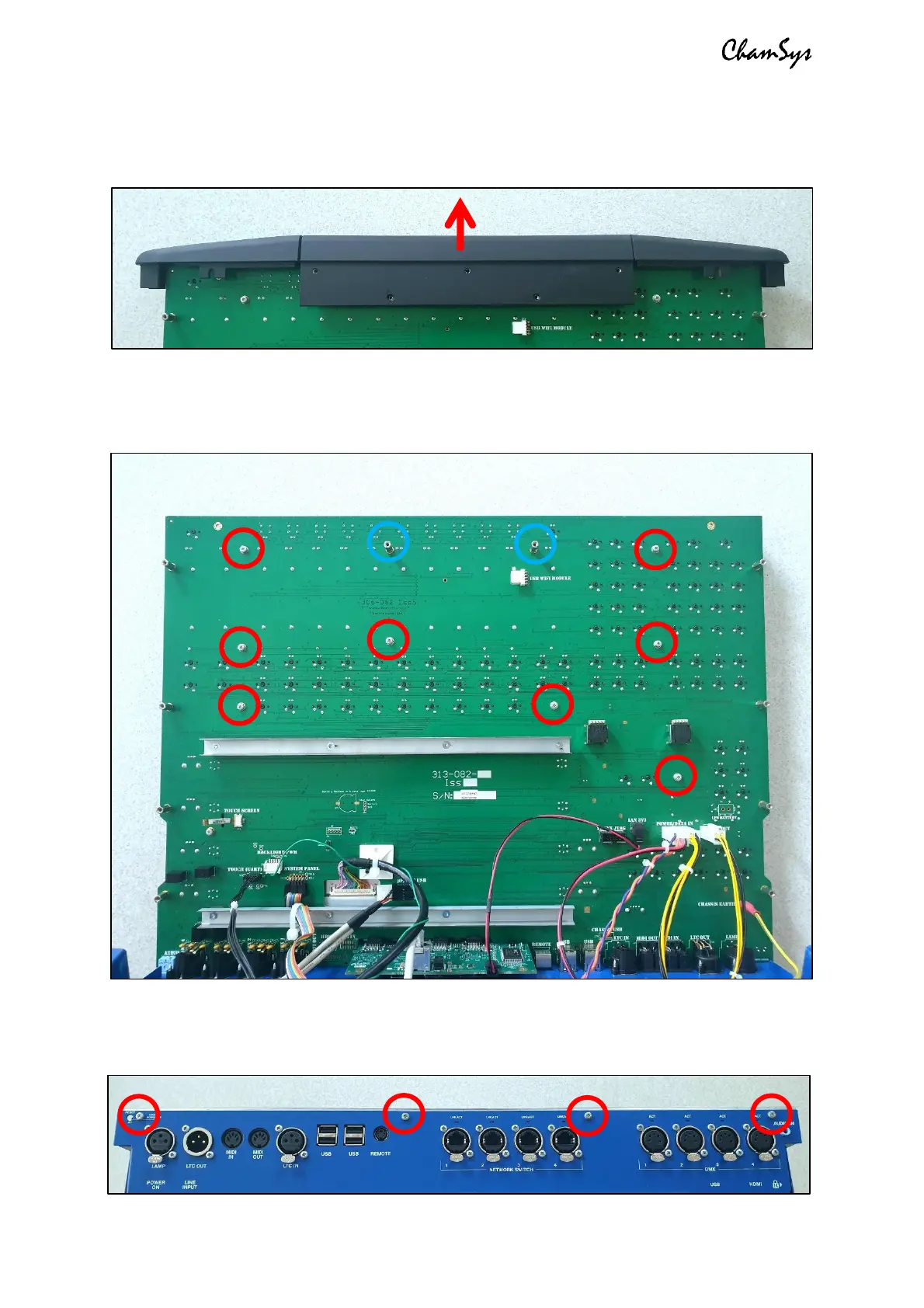
Once the side extrusions have been removed, the front extrusion can be lifted away.
Note when refitting the extrusions that there are locating tabs on the front panel
metalwork which the extrusions fit between.
To remove the front panel metalwork, start by using the 5.5mm nut driver to remove
the 2x spacers as shown in blue below. Then also remove the 8x M3x6 silver screws and
shake-proof washers on the back of the PCB, as highlighted red below.
Once been removed, lower the front panel back down to the base, turn the console
around and remove the 4x M3x6 silver screws from the rear of the console.


 To Next Page
 Loading...