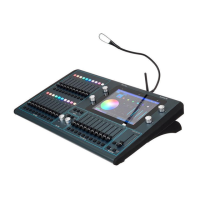
ChamSys QuickQ Series Service Document
Page 13 of 17 www.chamsys.co.uk
Diagnosing and replacing faulty LEDs:
Usually when issues occur with LEDs, a few or an entire row will stop working, since they
are connected in series. As mentioned in section 2, an entire row of LEDs not working is
usually actually an issue with 1 LED only; either the last LED to the left which is working,
or the first LED to the left which is not working.
To replace LED, first remove
the relevant PCB from the
console, as per the instructions
in section 3. To access the
LEDs, you will first need to
remove the translucent keymat
from the affected row. Each
keymat is secured in place by
8x fasteners, as in the left
picture, above. These fasteners
just pull off with a little force.
To diagnose which LED has the
fault, measure each of the
possible faulty LEDs as
mentioned above, using a meter.
Once the faulty LED has been found, this can be replaced by de-soldering the 4 surface-
mounted solder joints, as highlighted in the image above. Once the faulty LED is
removed, hold the new LED in place and solder the connections.
LED part number: 505-023


 To Next Page
 Loading...