5
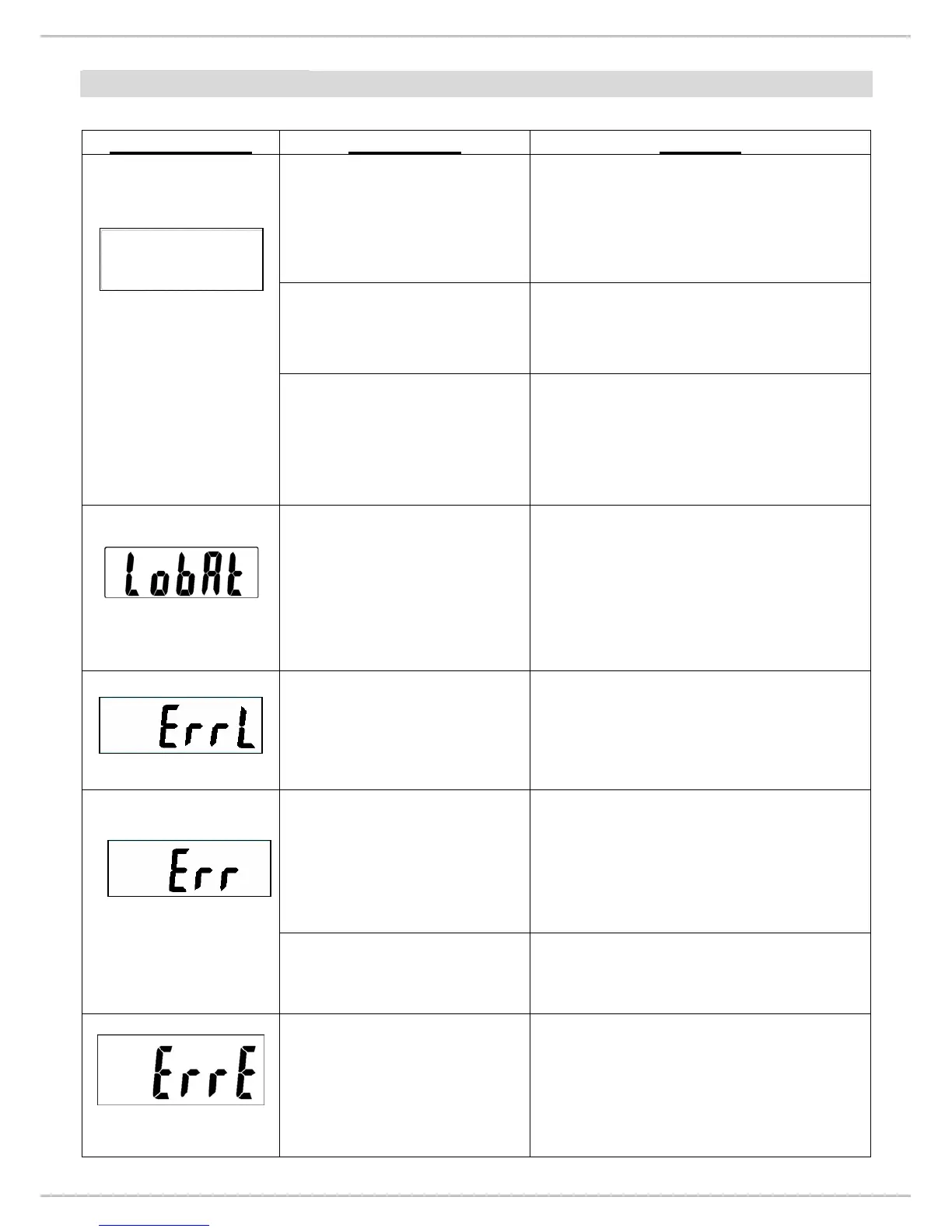
ERROR MESSAGE
Error Message
Description Solution
Nothing appears on the
display after pushing
ON/OFF key.
1. Check display.
2. Disassemble indicator.
3. Check wires and switch key.
(refer P.7 & P.9)
Can’t switch on scale
using AA battery.
Battery housing wires are
disconnected or broken. (refer P.7)
Can’t switch on scale
using AC adaptor.
1. AC adaptor damaged.
→Replace adaptor.
2. AC jack wires are disconnected.
(refer P.7)
Low battery indication.
1. Check battery voltage (>6V) and
if needed replace new battery for
operation.
2. If the problem still persists
inspect soldering of controller
PCB or replace the controller
PCB.
Scale zeroed under its
initial balance.
1. Check the load cell and its wiring
(refer P.7).
2. Replace load cell, then re-
calibrate the scale. (for re-
calibrating refer P.14)
Scales zeroed exceed its
initial balance.
1. Remove the weight from scale.
2. Check the load cell’s resistance.
(See P.10)
3. If you change the load cell,
please re-calibrate the scale.
(refer P.14)
Overload
1. Remove the weight from scale.
Overload: Maximum capacity + 9d
EEPROM data incorrect.
1. Check IC3 is soldered or not.
(Refer P.22 Bottom overlay)
2. Replace controller PCB.
3. Re-calibrate the scale. (refer
P.14)


 To Next Page