PRINT FUNCTION AND DATA TRANSMISSION
The Weighing, BMI and Height results can be kept in the PC for records by using the USB
interface cable, which is connected to the USB plug at the back terminal.
After completing BMI and BSA process, simply press key to transfer the results to
the PC.
HOW TO SET UP USB CONNECTIONS ON THE PC
1. Make sure the PC hardware device has USB port version2.0 or above
compatibility. Users may need to consult with local computer
accessories dealers to select the proper USB cable length that is most
suitable to work environment for best performance, then connect the
cable first between the PC and CHARDER Scale model.
2. Run HyperTerminal program under Windows OS computer and input
printer port parameter settings, please refer to the next Section in
<Step 7> on how to setup HyperTerminal program in user’s computer
for printer port parameters.
3. Once the HyperTerminal setting is ready, make sure the USB cable is
connected properly between the user PC’s USB port and the CHARDER
Scale Model again. Press button on the Scale Display Panel for
transferring the weight & BMI data to the PC.
15
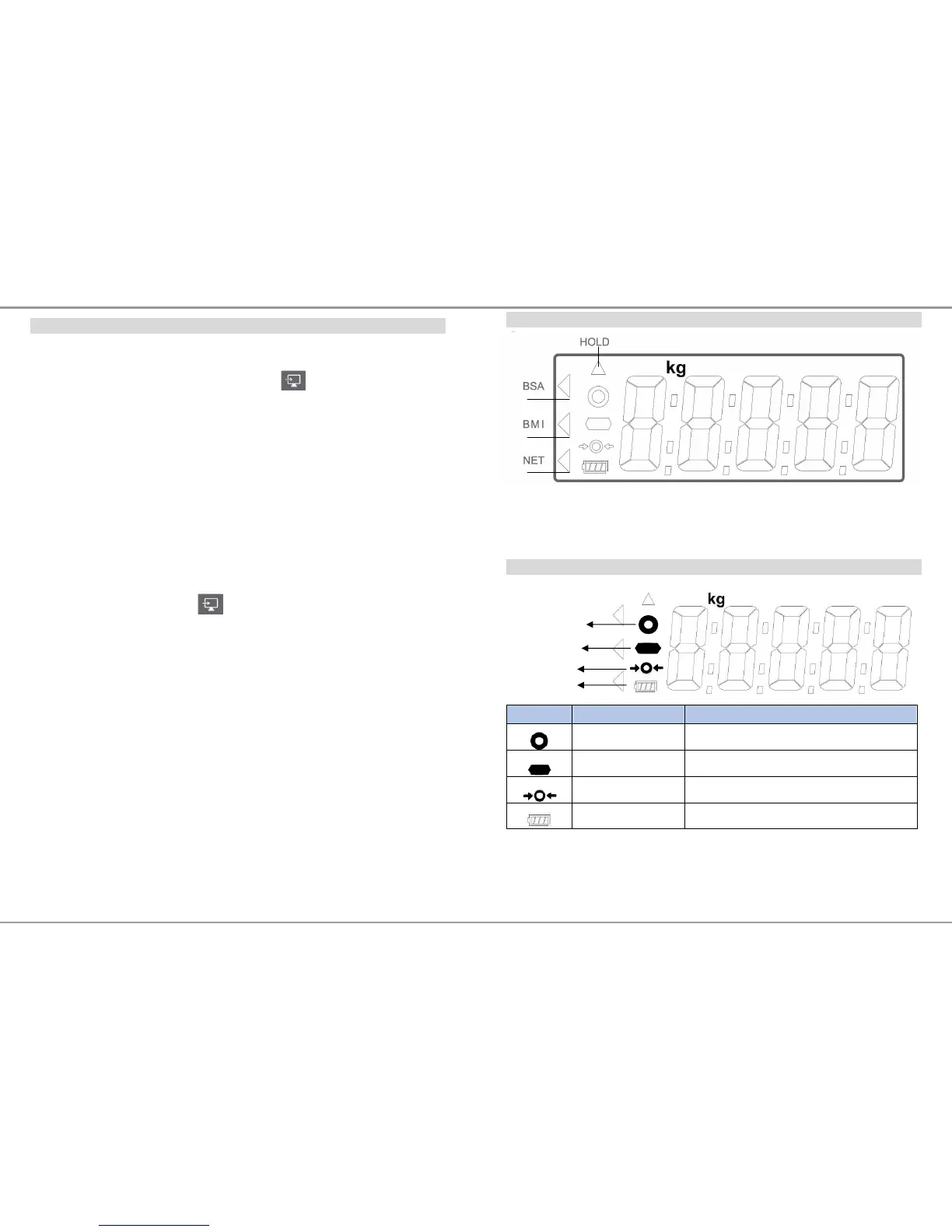
LCD DISPLAY SYMBOLS
BSA : Body surface area is activated
BMI : Body Mass Index is activated
NET : Net weight appears after press tare button
HOLD : Weight lock function is activated
SYMBOLS INFORMATION
Symbol Information Remark
Stability sign
Mark appears when weight is stable
Negative sign
When weight value is negative
Zero indication
When scale is set to zero


 To Next Page