20
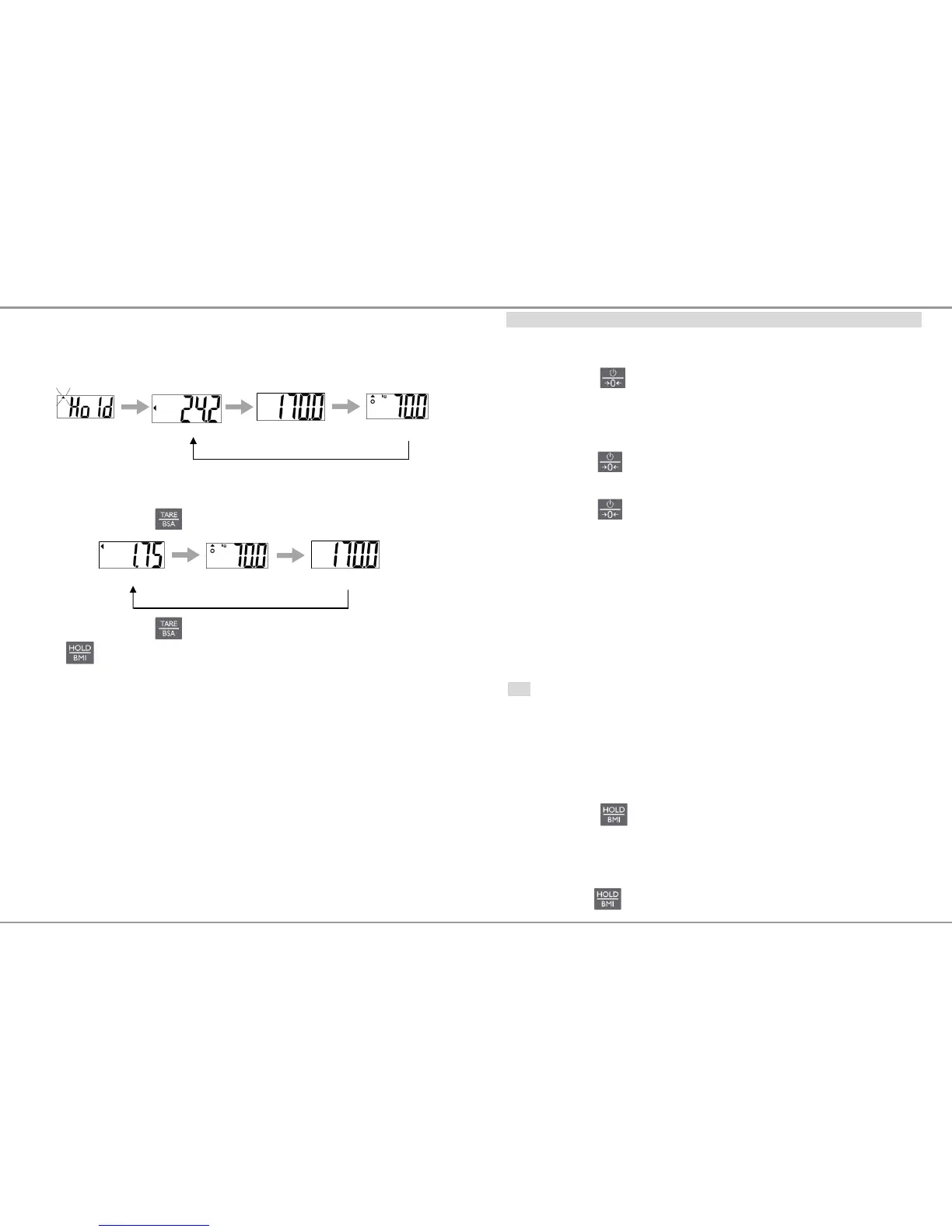
6.1.1 Enable BSA in BMI mode
1. Starting with BMI process
2. When BMI, weight and height is playing rotationally.
3. Press to play BSA value.
4. Press to return to the BMI mode.
Press to return to the normal mode
BMI
Height
weight
Height
weight
BSA
17
OPERATION
1 Switching on/off
Switching on
Press to switch the scale on
The device shows a start-up screen with the full segmental LCD
display, software version and then 0.0 kg
Switching off
Press and hold for 3 seconds to switch scale off
Zero the scale
Press while scale is on to zeroing the scale
2 Straight weighing
1. Place weighing object/person on the scale
2. Wait until the stability sign appears
3. Read the weighing result
3 Weighing with hold
This device is provided with the integrated hold function (determination of average
value). It enables people to be weighed accurately although they are not still on the
scale plate. Once the HOLD key is pressed, the weight reading will remain on the
display after the item has been removed from the scale so the reading can easily be
read.
Note
Determination of average value is not possible when a person moves too much.
HOLD function won’t work if the weight is under 2 kg.
1. Switch on the scale. The diagnostic self-checks is performed. The
scale is ready for weighing when the „0.0 kg” displays on the
screen.
2. Place object/person on the scale.
3. Press key. When the triangle is flashing on the display,
the scale records the fluctuating weight values and then
calculates average weight and displays the result on the screen.
4. Remove object/person from the scale. The weight reading will
remain on the display.
5. Press key again to return the scale to the normal weighing
mode.


 To Next Page