EasyManua.ls Logo

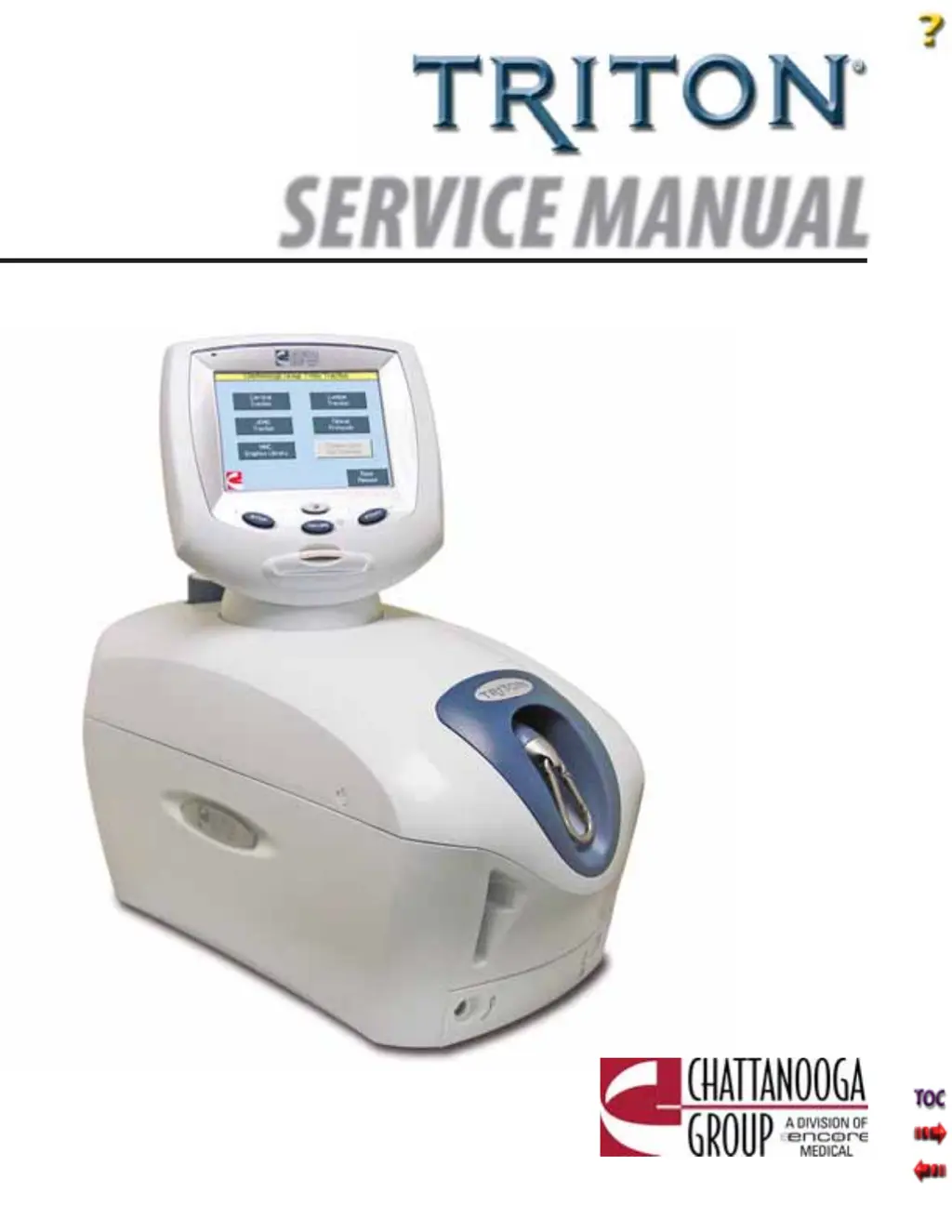
Chattanooga Group TRITON 2841 - User Manual

Chattanooga Group TRITON 2841
87 pages
Print Icon
To Next Page IconTo Next Page
Loading...
© 2006 Encore Medical, L.P.
ISO 13485 Certifi ed
Traction Unit
Applies to Serial numbers 1000 and above
International Model- 4749
International with sEMG Model- 4798
Domestic Model- 4739
Domestic with sEMG Model- 4778
Domestic DTS Model- 2841
SERVICE MANUAL

Table of Contents

Questions and Answers

  • J
    jacksonashleyAug 18, 2025
    What to do if the patient pressed the Patient Switch on Chattanooga Group Medical Equipment?
    • B
      Brandon SimsAug 18, 2025
      If the Chattanooga Group Medical Equipment shows that the patient pressed the Patient Switch, it means the Patient Interrupt Switch button was pressed. To resolve this, touch the Touch Screen to clear the message.
  • M
    Morgan GutierrezAug 20, 2025
    What to do if Patient Switch is unplugged from Chattanooga Group TRITON 2841 Medical Equipment?
    • D
      Deanna WarnerAug 20, 2025
      If the Chattanooga Group Medical Equipment indicates that the Patient Switch is unplugged, it's because the Patient Interrupt Switch is not properly connected to the unit. Properly connect the Patient Interrupt Switch and touch the Touch Screen to clear the message.
  • M
    michelle20Aug 23, 2025
    What to do if Chattanooga Group TRITON 2841 Medical Equipment doesn't save to card because no card is inserted into the unit?
    • J
      Jeremy BaileyAug 23, 2025
      If the Chattanooga Group Medical Equipment doesn't save to the card because no card is inserted into the unit, it means that no Patient Data Card was inserted. Properly insert the correct Patient Data Card into the unit.
  • S
    Susan MossAug 26, 2025
    What to do if Chattanooga Group Medical Equipment doesn't save to card, because the card currently inserted is not a Patient Card?
    • G
      grayjamieAug 26, 2025
      If the Chattanooga Group Medical Equipment doesn't save to card and indicates that the card currently inserted is not a Patient Card, it means that the wrong or a bad Patient Data Card was inserted into the unit. Insert the correct Patient Data Card.
  • C
    cserranoAug 27, 2025
    What to do if Chattanooga Group TRITON 2841 Medical Equipment doesn't save to card, because the card currently inserted is full?
    • B
      brianmunozAug 28, 2025
      If the Chattanooga Group Medical Equipment doesn't save to card and indicates that the card currently inserted is full, it means that the memory is full on the Patient Data Card used. To resolve this, save the data to PDMS and erase the Patient Data Card.
  • W
    wboyerAug 30, 2025
    What to do if the user pressed HOME button from treatment review screen while a treatment was running on Chattanooga Group TRITON 2841?
    • K
      kyleharrisAug 30, 2025
      If the Chattanooga Group Medical Equipment displays that the user pressed the HOME button from the treatment review screen while a treatment was running, it is because the Home button has been pressed. Press STOP to end the treatment prior to pressing HOME.
  • E
    Edwin CampbellSep 1, 2025
    What to do if Chattanooga Group Medical Equipment doesn't run after pressing START?
    • A
      Ashley GarciaSep 1, 2025
      If the Chattanooga Group Medical Equipment doesn't run, and the user pressed START, but has not yet set the Max Level value to a value greater than zero, it means that the user has not completed the Treatment Set Up. Complete the Treatment Set Up prior to pressing START.
  • J
    Jeremy MaciasSep 3, 2025
    What to do if no traction treatments were found on the card of Chattanooga Group TRITON 2841?
    • J
      jeffrey22Sep 3, 2025
      If the Chattanooga Group Medical Equipment says that the user selected the Patient Card button on the utilities screen, but no traction treatments were found on the card, it means that the wrong or a bad Patient Data Card was inserted into the unit. Insert the correct Patient Data Card.
  • T
    Thomas YoderSep 6, 2025
    How to fix Chattanooga Group TRITON 2841 when no tension is detected on the Cord?
    • J
      Jordan VasquezSep 6, 2025
      If the Chattanooga Group Medical Equipment doesn't detect tension on the cord, it means there is too much slack in the Traction Cord. Remove the Traction Cord Slack.
  • W
    wmedinaSep 8, 2025
    What to do if user typed in a blank patient name on Chattanooga Group TRITON 2841?
    • J
      Jennifer SimonSep 8, 2025
      If the Chattanooga Group Medical Equipment displays that the user typed in a blank patient name, it means that no Patient ID was assigned. Enter the Patient ID.

Summary

THEORY OF OPERATION

OVERVIEW

Explains how the Triton traction unit functions, including its hardware and software components.

SAFETY PRECAUTIONS

PRECAUTIONARY INSTRUCTIONS

Provides essential safety instructions and warnings for operating the Triton unit.

TROUBLESHOOTING

TRITON ERROR MESSAGES

Lists error codes, definitions, probable causes, and possible remedies for user-correctable and technical assistance messages.

TRITON TRACTION UNIT TESTING

Details general electronic testing, replacement component considerations, and required tools and fixtures.

LOAD CELL TEST

Details the procedure for testing the load cell accuracy against the touch screen reading.

REMOVAL & REPLACEMENT

CALIBRATION

UNIT CALIBRATION

Explains the steps for performing unit calibration using a fixture and specific weight measurements.

SCHEMATICS

SPECIAL FIXTURES

Chattanooga Group TRITON 2841 Specifications

General IconGeneral
BrandChattanooga Group
ModelTRITON 2841
CategoryMedical Equipment
LanguageEnglish

Related product manuals