EN
| Intelect
®
Legend 2 - Service Manual DOMESTIC 34
REPAIR OPERATION
7.2. BOTTOM OF THE DEVICE
INSTALLATION OR REPLACEMENT OF BATTERY
14-1086 G16 LI-ION BATTERY
Unscrew the battery door on the bottom of the device
(2 screws)
Remove the battery door
Unplug and remove the battery (for a replacement)
Plug the new battery into the battery connector
Insert the battery in its location
Replace the battery door with the 2 screws
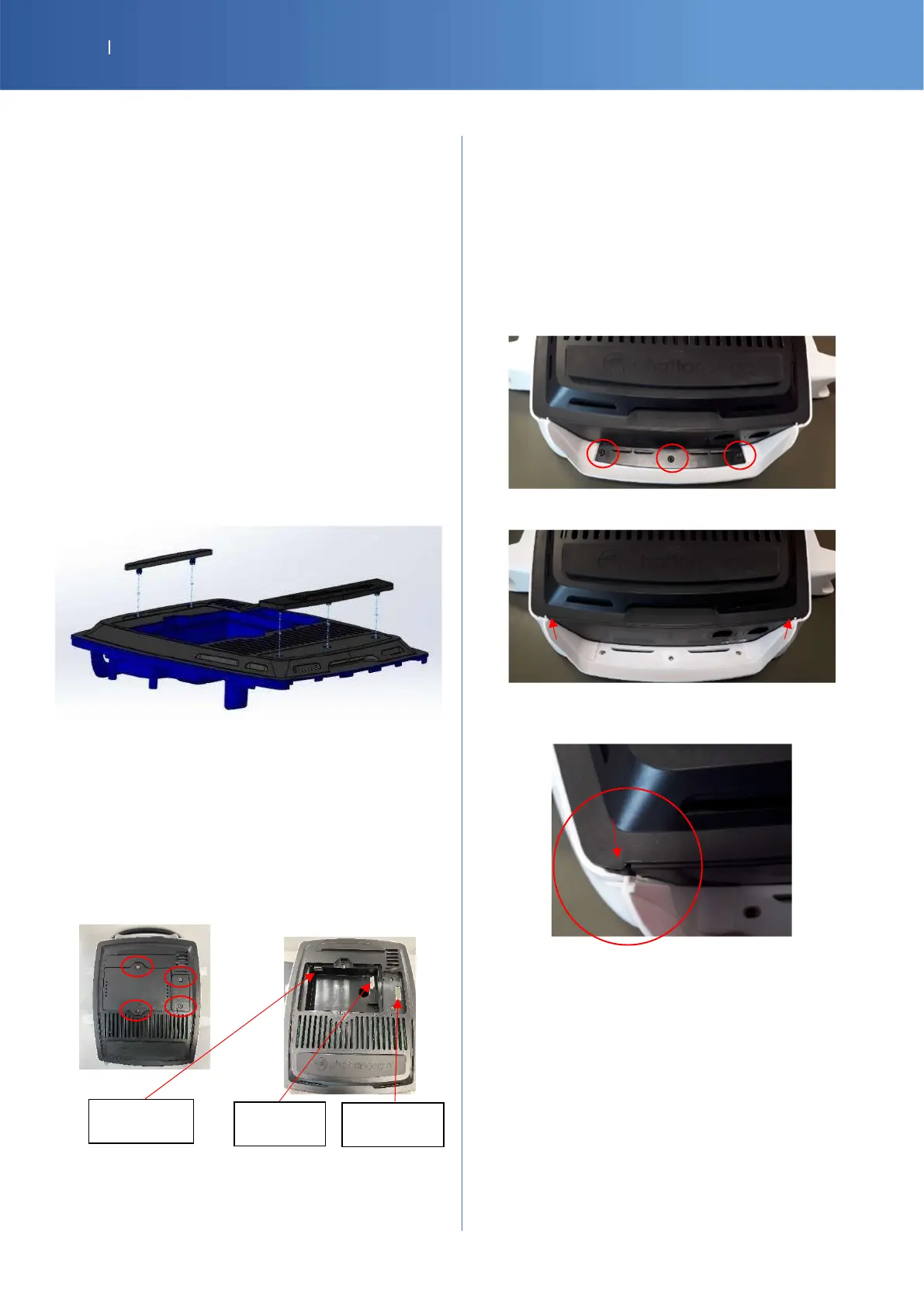
RUBBER FEET
G16-4121-SP RUBBER FOOT FRONT BLACK
G16-4131-SP RUBBER FOOT REAR BLACK
Insert the pins of the rubber feet front and rear into the
base plate.
CONNECTION COVER BLACK
G16-4161-SP COVER BLACK
G16-4441-SP VACUUM CONNECTION COVER BLACK
Unscrew the door on the bottom of the device
(2 screws )
FRONT LIP
G16-4461-SP MOB2 FRONT LIP W
or
SP-14-3794 G16 FRONT LIP WHITE EXTENDED
G16-1091-SP MOB2 FRONT LIP CLAMP B
14-1043-SP M3X8 TORX SCREW x 5
Unscrew and remove the lip clamp (3 screws Torx
T10)
Remove the lip to slide it to the up
Insert first the both side of the lip and slide down to
put back in place
Battery
Vacuum
USB















 To Next Page