EN
| Intelect
®
Legend 2 - Service Manual DOMESTIC 38
REPAIR OPERATION
CONTROL BUTTONS: PLAY and ON/OFF
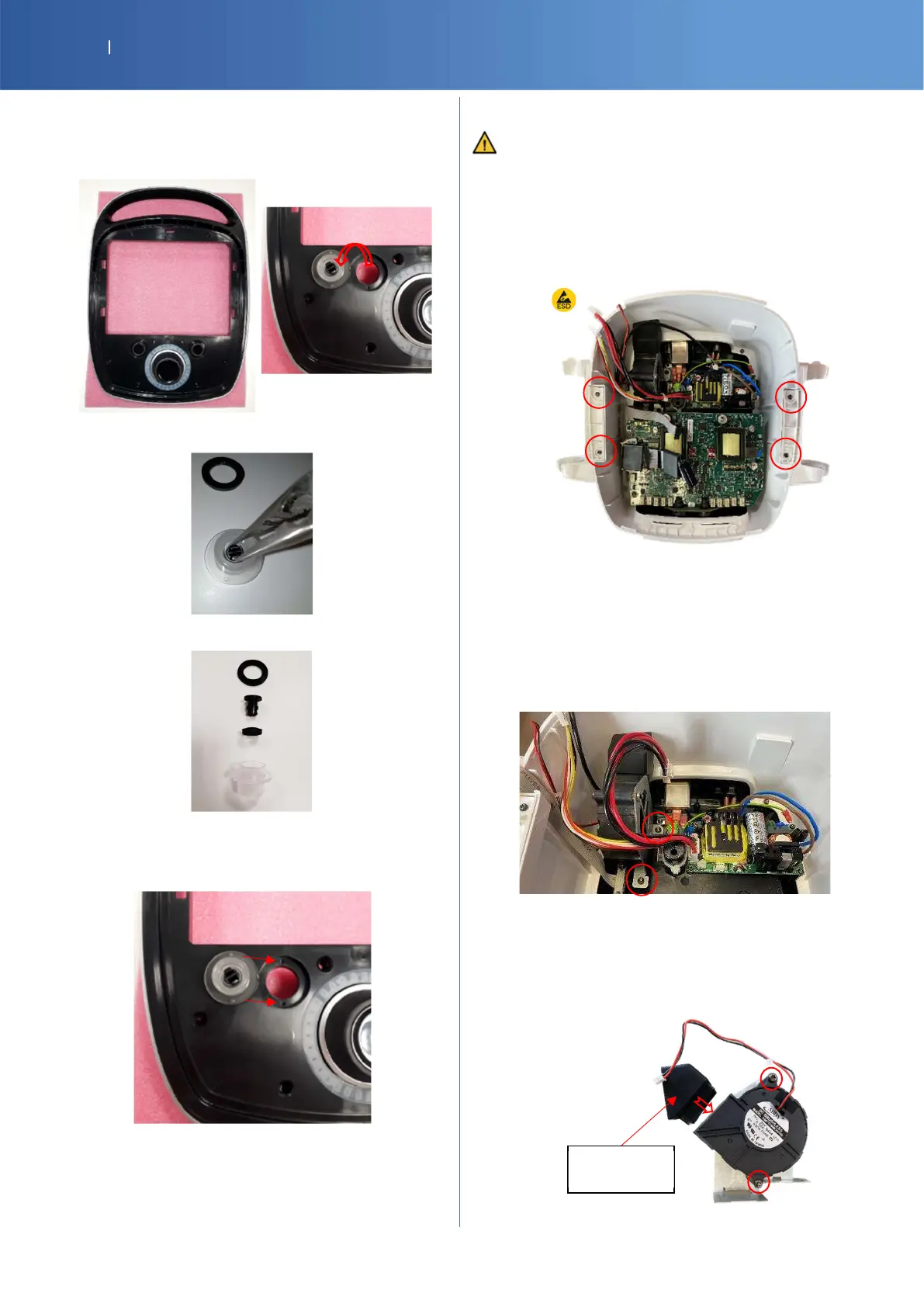
SP-12-5006 G16 BUTTON TOP SUB ASSY
Clamp the 2 clips of the button part and then push
Disassemble completely the button to clean it
Check the right position of the seals and put the pins in
the holes then clip the lens with the display
7.5. LOWER SUB ASSEMBLY
ESD equipment is required to open the device
APPLICATOR HOLDER
G16-4171-SP APPLICATOR HOLDER RIGHT W
G16-4181-SP APPLICATOR HOLDER LEFT W
14-1043-SP M3X8 TORX SCREW x 5
Unscrew 2 screws/holder (Torx T10)
FAN
SP-14-1222 SERVICE PART IL2 FAN
14-1044-SP M4X8 TORX SCREW x 5
SP-G16-4111 G16 FAN AIR FLOW GUIDE
OR
SP-14-3796 IL2 4CH FAN AIR FLOW GUIDE
To remove the fan: unscrew the support
(2 screws of Torx T20)
To separate the fan and the support: unscrew 2
screws (Torx T20)
To put back in place, check the good position of the
air distributor and screw the support.
AIR FLOW















 To Next Page