EXPLODED VIEWS AND SERVICE PARTS LISTS
EN
| Intelect
®
Legend 2 - Service Manual DOMESTIC 50
FINAL TEST
Electrotherapy and User Interface
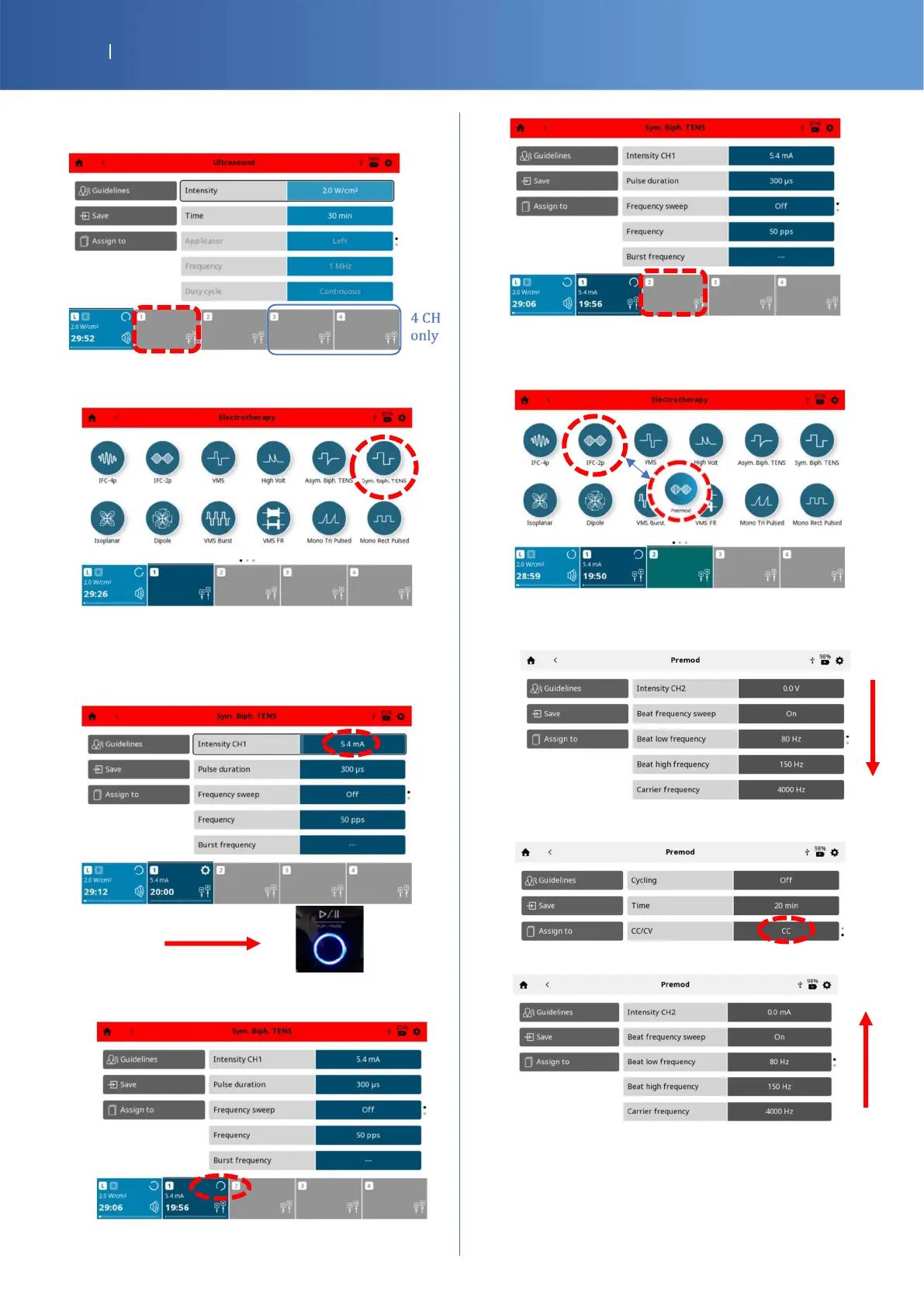
Press the “CH1” icon.
The following screen is displayed, on screen,
press on “Sym Biph.” icon.
Press on intensity button and increase the
current with the knob for two complete rounds
(must be > 5mA). then press the “Play” button.
You should have the CH1 status channel
“Running”.
Select the CH2.
Press on the “IFC-2p” for INTL or
“Premod” for DOM
For Legend 2 DOM only, scroll down to “CC/CV”
to change the “Intensity CH2” from V to mA
Press the “CC/CV” icon to change to CC
Scroll up.















 To Next Page