iGage X9x User Manual page 17 of 53
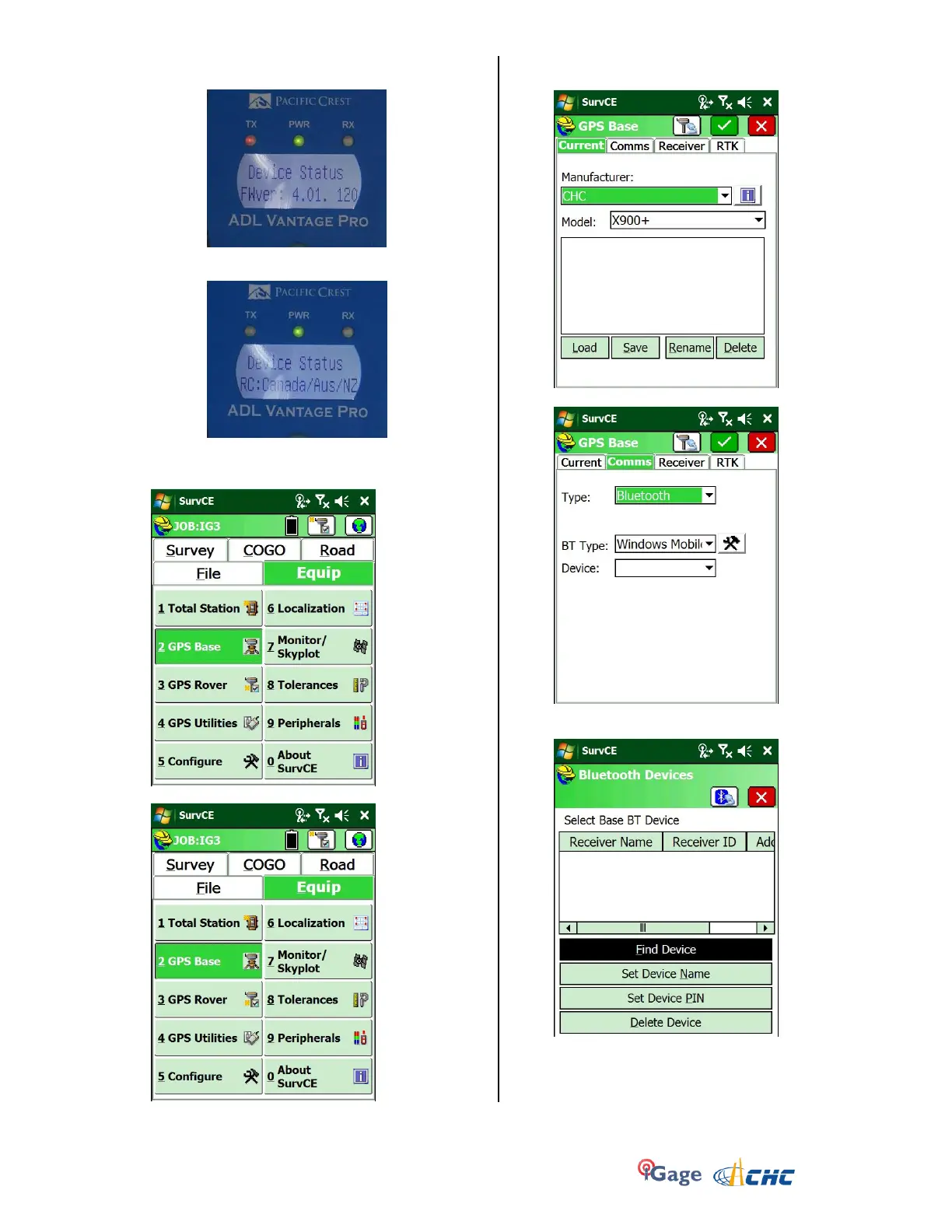
y. This is the firmware revision currently running
in the radio:
z. Finally the regulatory region code is
displayed:
7. Turn on the data collector and start SurvCE from the
Start Menu. Click on the Equipment tab:
8. Click on the “2. GPS Base” button:
9. Select the correct manufacturer (CHC) and device
(X900+ or X91+):
10. Click on the Comms (tab):
11. Click on the Hammer/Wrench to the right of the ‘BT
Type’:
12. Click on the ‘Find Device’ button and the data collector
will look for every available Bluetooth device:


 To Next Page