requirement.
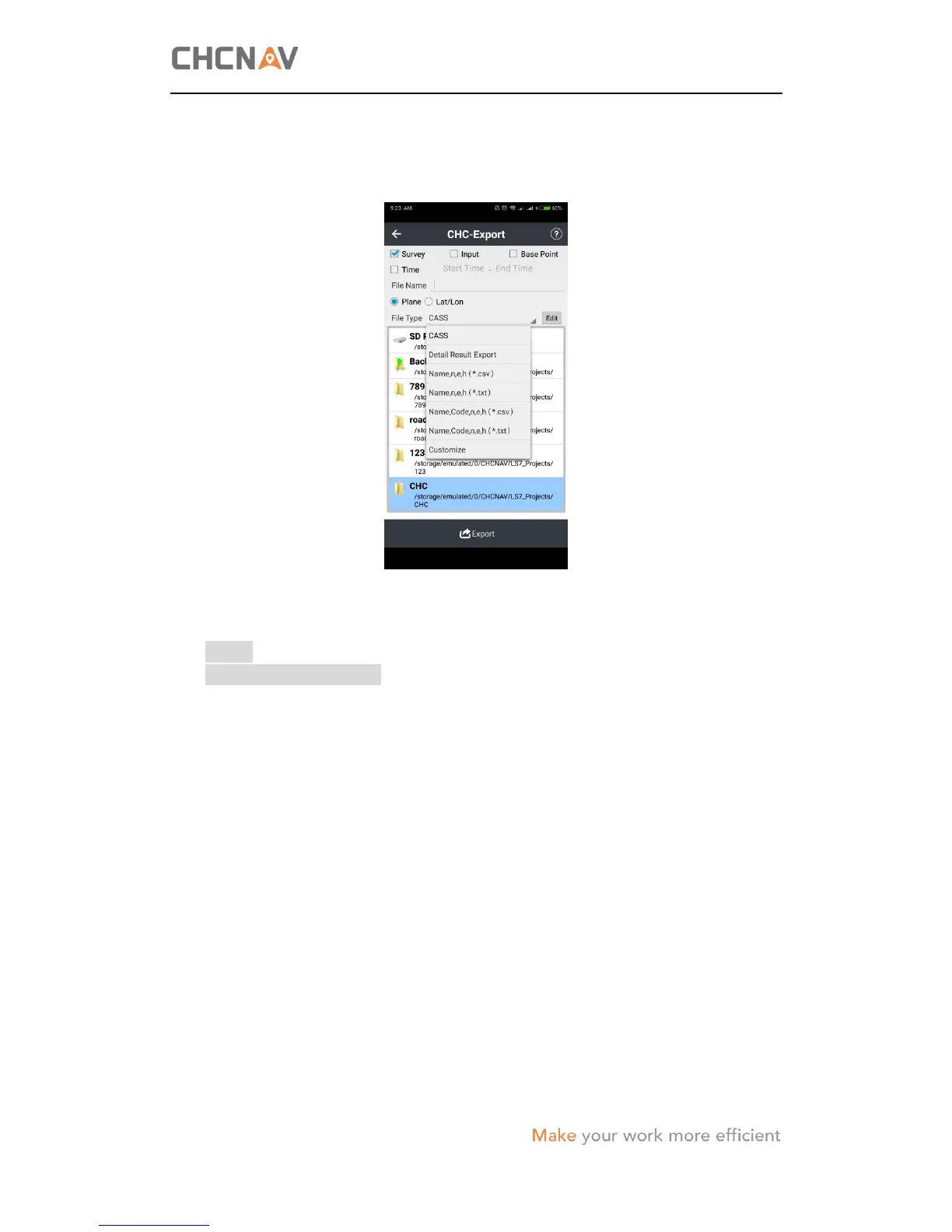
(3) Tick the point type(s) → enter the File Name → select the File Type from the
dropdown list → select the path that used to store the file.
(4) Tap Export → the software will prompt whether the file has been successfully
exported.
Notes:
When select customize format, users can define the file content according to
user’s requirement.
(5) After the file has been successfully exported in the controller, connect the
controller to the office computer for file transfer (please refer to the
corresponding user guide of the controller that user are using for instruction) and
post-processing.
4.8 Receiver Registration
When the software prompt that the receiver is overdue, users need to contact user’s
local CHC dealer to get the registration code.
To register the receiver:
(1) In the main menu, tap Config → tap Device Info.
(2) Tap Register and enter the registration code in the pop-up window.
(3) Tap OK button to complete the registration, and then the software will show the
expire date at the Device Info list.



 To Next Page