Basic Operation
LT700H RTK ANDROID TABLET USER GUIDE | 2019-10 P a g e | 23
3.9 Log in 4G
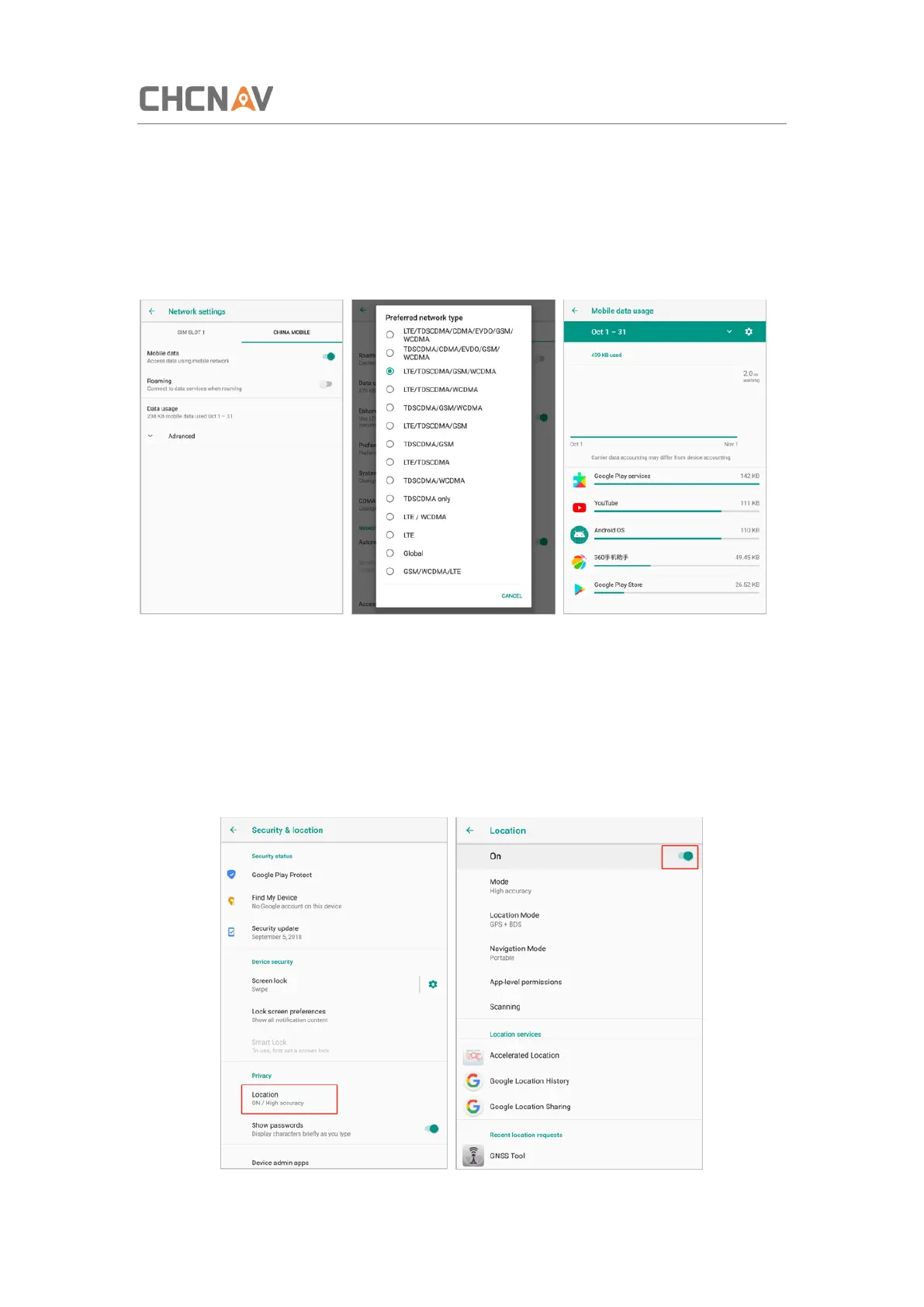
After inserting your SIM card, click [Settings] – [Network & Internet] – [Mobile Networks] –
[Advanced] – [Preferred network type] and select corresponding network type of your SIM
card. Then turn on Mobile data and click Data usage to see data usage.
3.10 Location
3.10.1 Turn on The Location Service
Click [Settings] – [Security & Location] – [Location] – [On] to switch on location service.



 To Next Page