Basic Operation
LT700H RTK ANDROID TABLET USER GUIDE | 2019-10 P a g e | 24
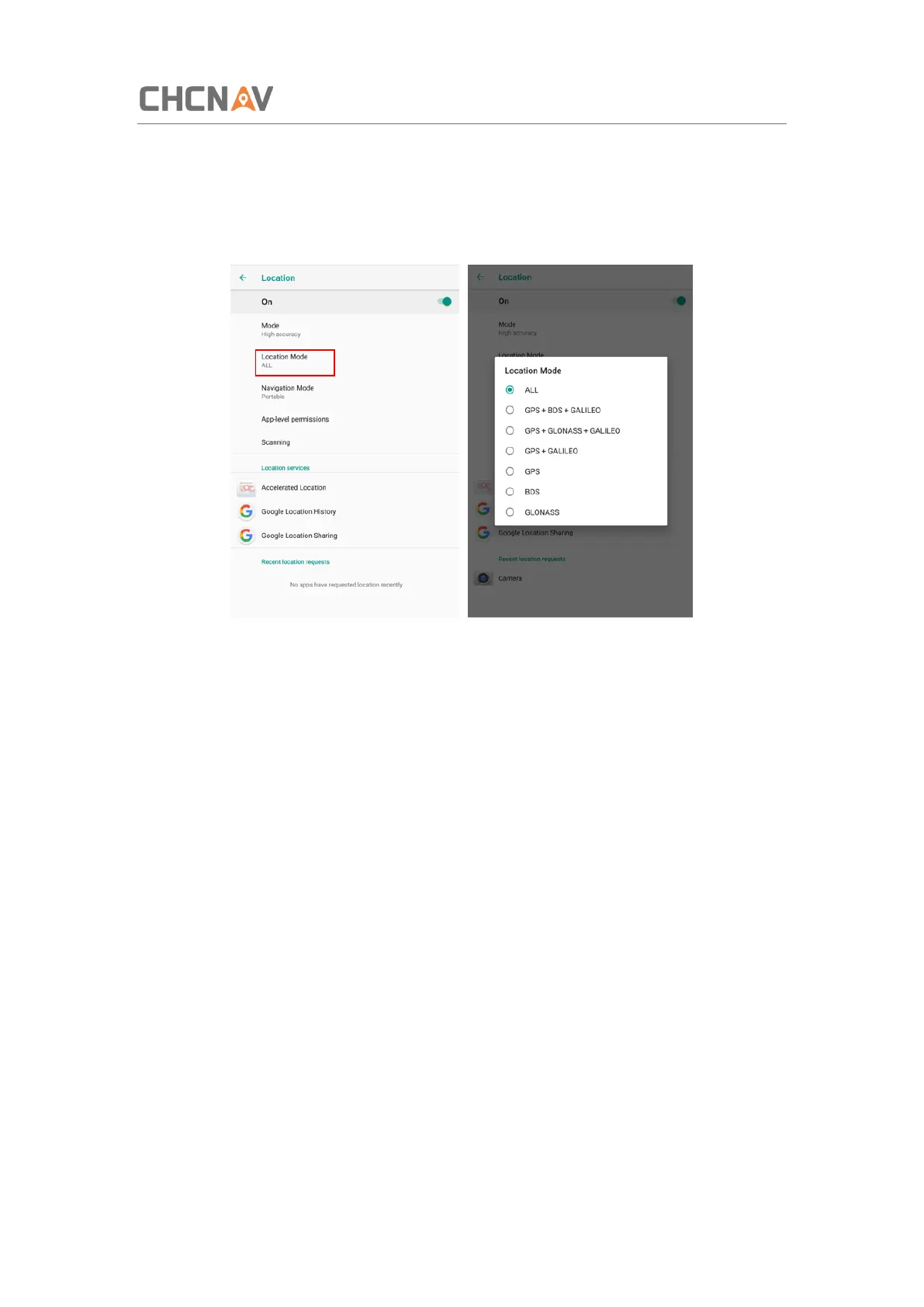
3.10.2 Select the Constellation Combination
On the [Location] panel, the choose [Location Mode], and the user can choose the
constellation/constellations.
For LT700H, there are six options:
ALL: The device will use all data to do the positioning. Note that this is the recommended
setting to achieve optimal positioning performances.
GPS+BDS+GALILEO: The device will use GPS, BDS and GALILEO data;
GPS+GLONASS+GALILEO: The device will use GPS, GLONASS and GALILEO data;
GPS+GALILEO: The device will use GPS, GALILEO data;
GPS: The device will use GPS data
BDS: The device will use BDS signal only;
GLONASS: The device will use GLONASS signal only;



 To Next Page