Getting Start with LandStar 7
LT700H RTK ANDROID TABLET USER GUIDE | 2019-10 P a g e | 36
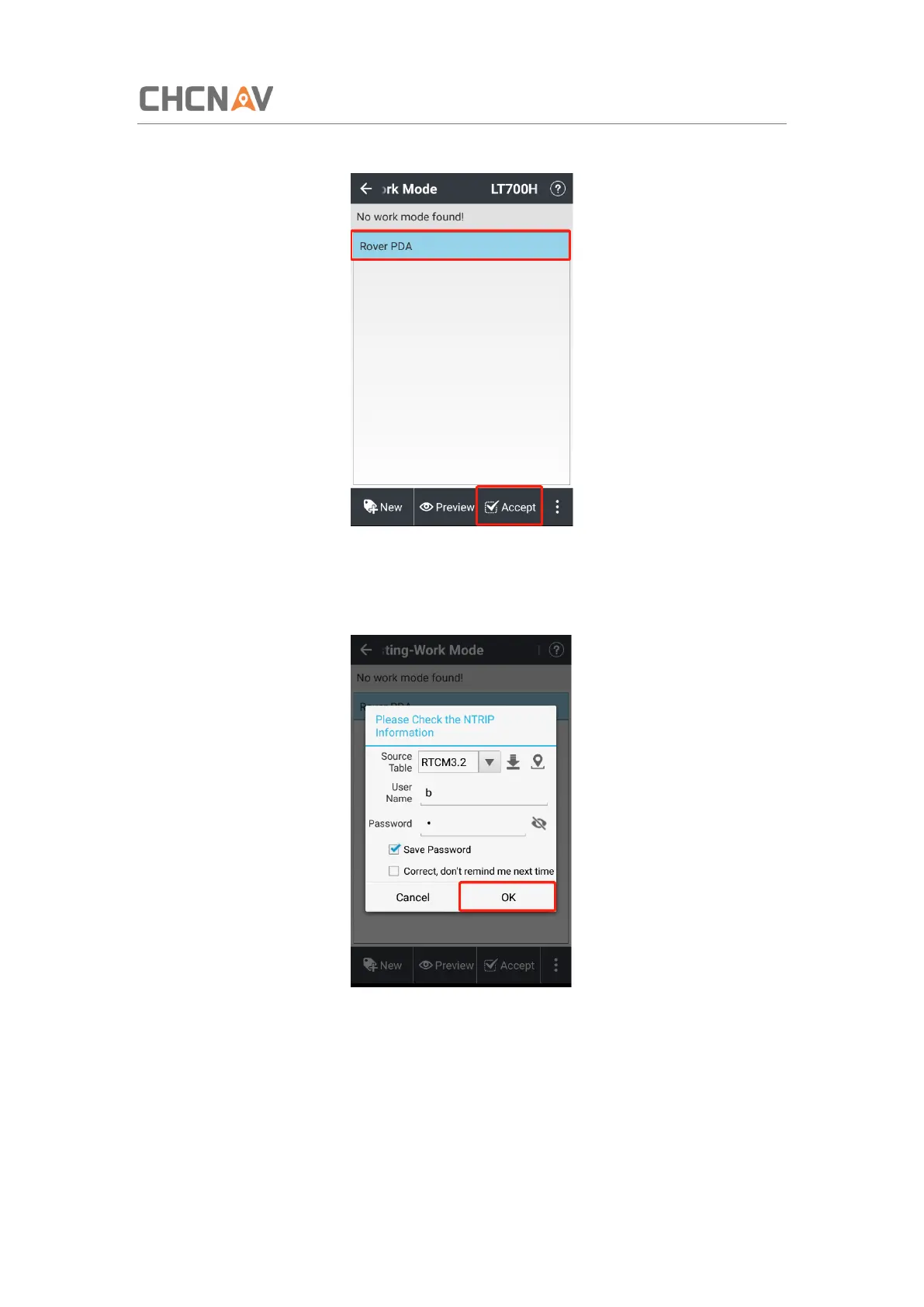
(7) Select the new work mode in the [Work Mode List] and tap [Accept].
(8) Check the information of NTRIP account and change it as need. Tick on Correct, [Don’t
remind me next time] when there is nothing need to change.
(9) Click [Ok].
4.6 Survey
(1) Wait until the software shows [RTD], [Float] or [Fix], which means the LT700H is using the
GNSS correction data from RTK Network.



 To Next Page