Getting Start with LandStar 7
LT700H RTK ANDROID TABLET USER GUIDE | 2019-10 P a g e | 34
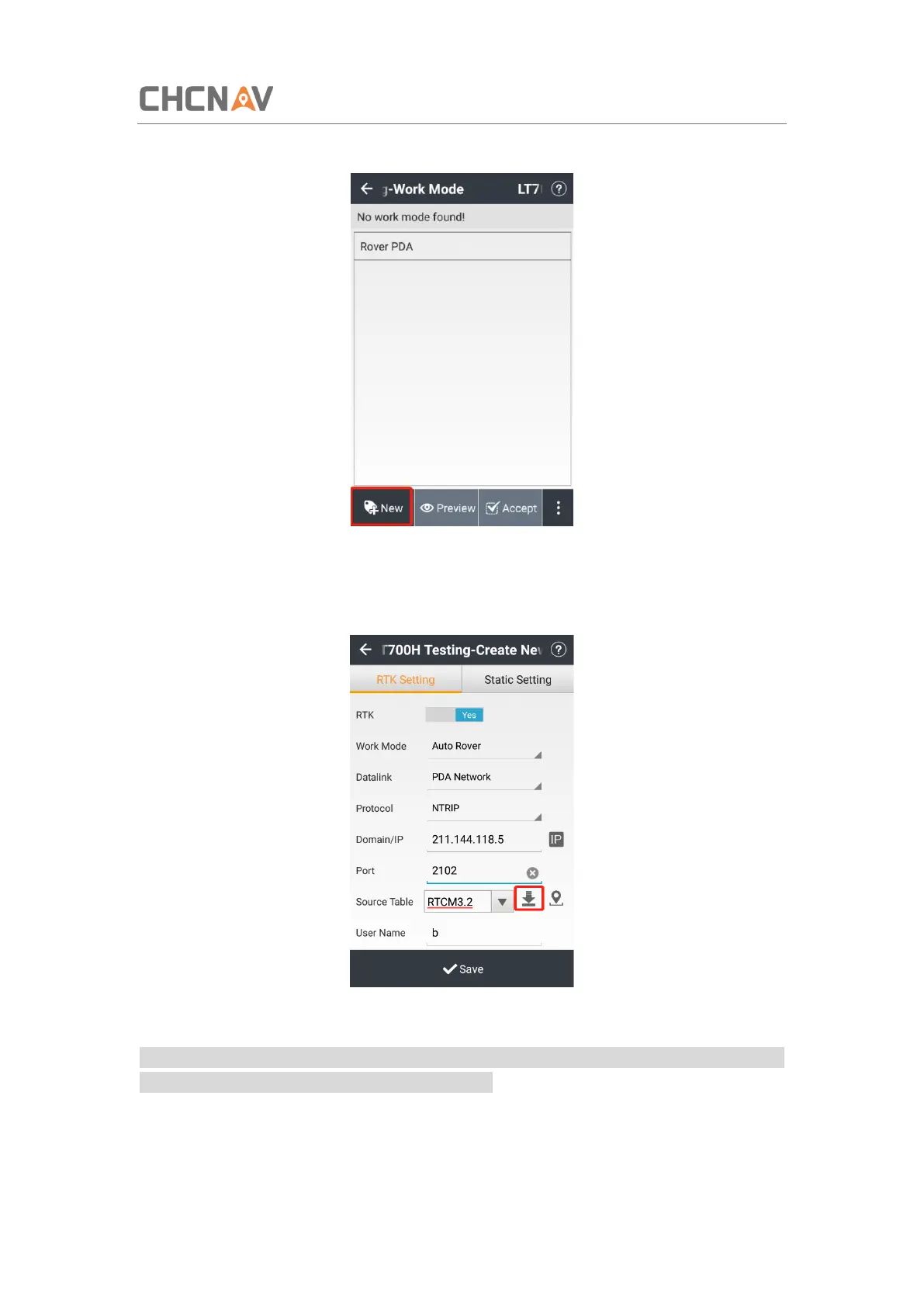
(2) Tap [New] to create a new work mode.
(3) Select the work mode as [Auto Rover], datalink as [PDA Network], protocol as [Ntrip],
type in the corresponding Ntrip [IP] and [Port]. Tap [Download] button to load the
mountpoints source table.
(4) Input the username and password of your NTRIP account.
Note: If the selected mountpoint does not contain the RTCM 1021 - 1027 messages, leave the
related RTCM message setting buttons set to “NO”.



 To Next Page