12
2. Use three large round-head screws to attach the round-hole rack plate to
the rack.
Make sure that you use the same rack number for all the round-hole rack
plates.
3. Do steps 1 - 2 again for the other round-hole rack plates.
Attaching the Rack Rails
Attach the rack rails to the rack. If you are using round-hole racks, make sure
that the round-hole rack plates are attached. For more about attaching
round-hole rack plates, see Preparing Round-Hole Rack Rails (on page 11).
• The rack rail for the left-side of the rack is marked LH.
• The rack rail for the right-side of the rack is marked RH.
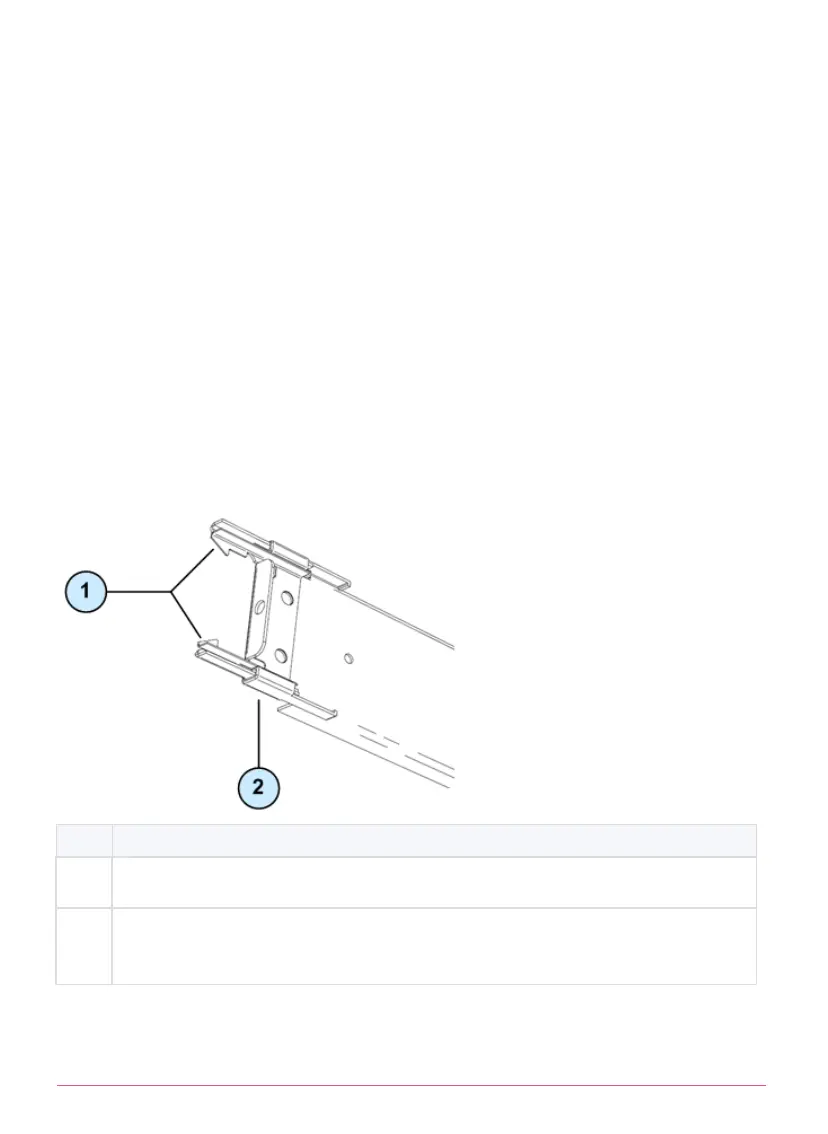
Item
Description
1 Inner clips. Press on these clips to detach the rack rail from the rack.
2 Yellow locking piece. When engaged, locks the front and back of the
rack rail and you cannot detach it from the rack.






 To Next Page