Smart-1 25
Smart-1 25
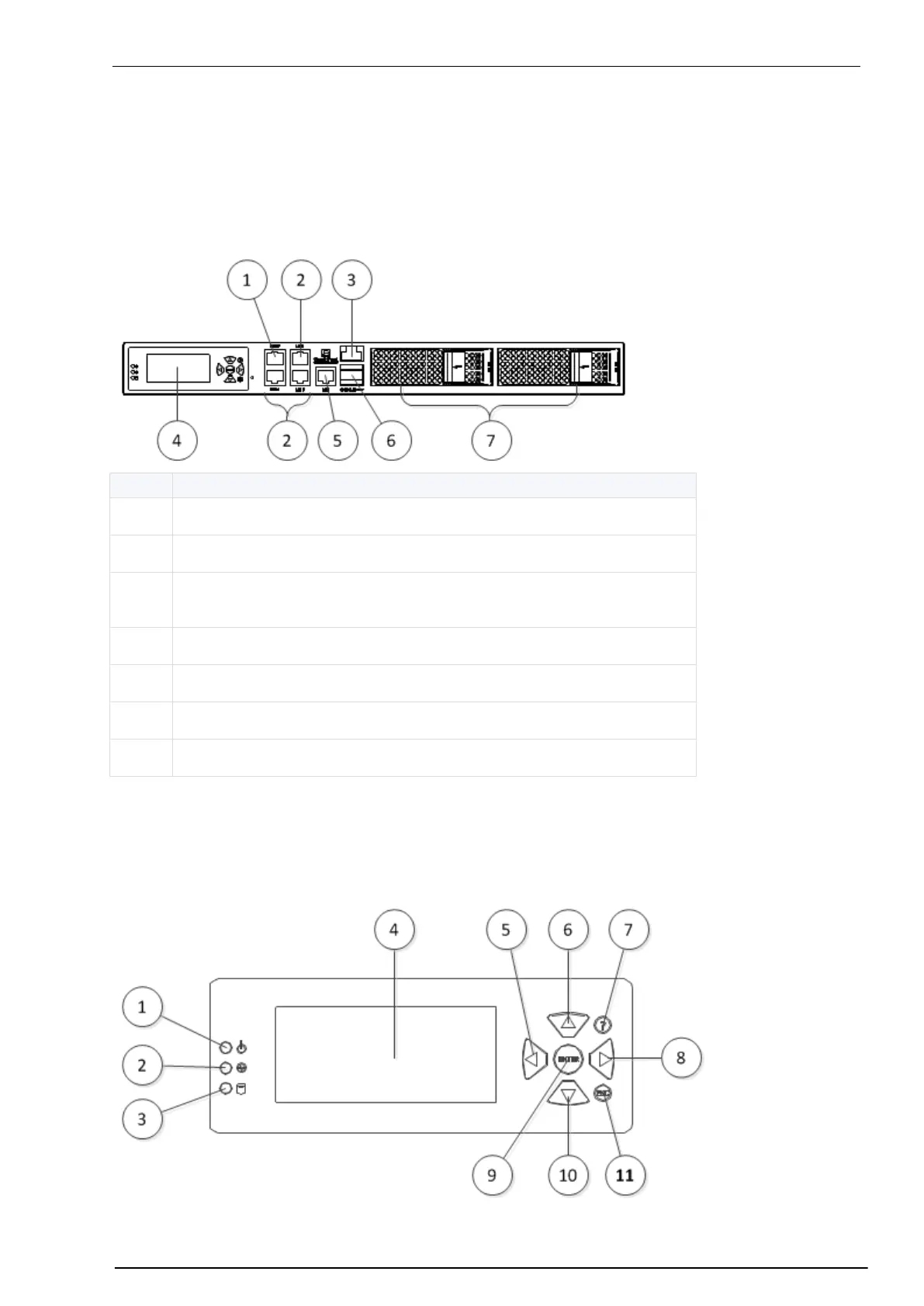
This section describes the features and components located on the Smart-1 25 appliance.
Front Panel
Management configuration port
Ethernet connection ports (Lan1 - Lan2)
Console RJ-45 port to connect to a computer using a terminal emulation
application
Lights Out Management (LOM) port
LCD Display Screen
Smart-1 appliances have an LCD screen that lets you do basic management operations. You configure the
management IP address, net mask and default gateway using the LCD screen. You can also reboot and
turn off the appliance from the LCD screen.


 To Next Page