Preparing the Appliance
To prepare the appliance:
1. Make sure to follow the safety instructions.
2. Shut down the appliance:
• In Gaia Portal:
Go to Maintenance > Shut Down, and click Halt
• In Gaia Clish:
Run: halt
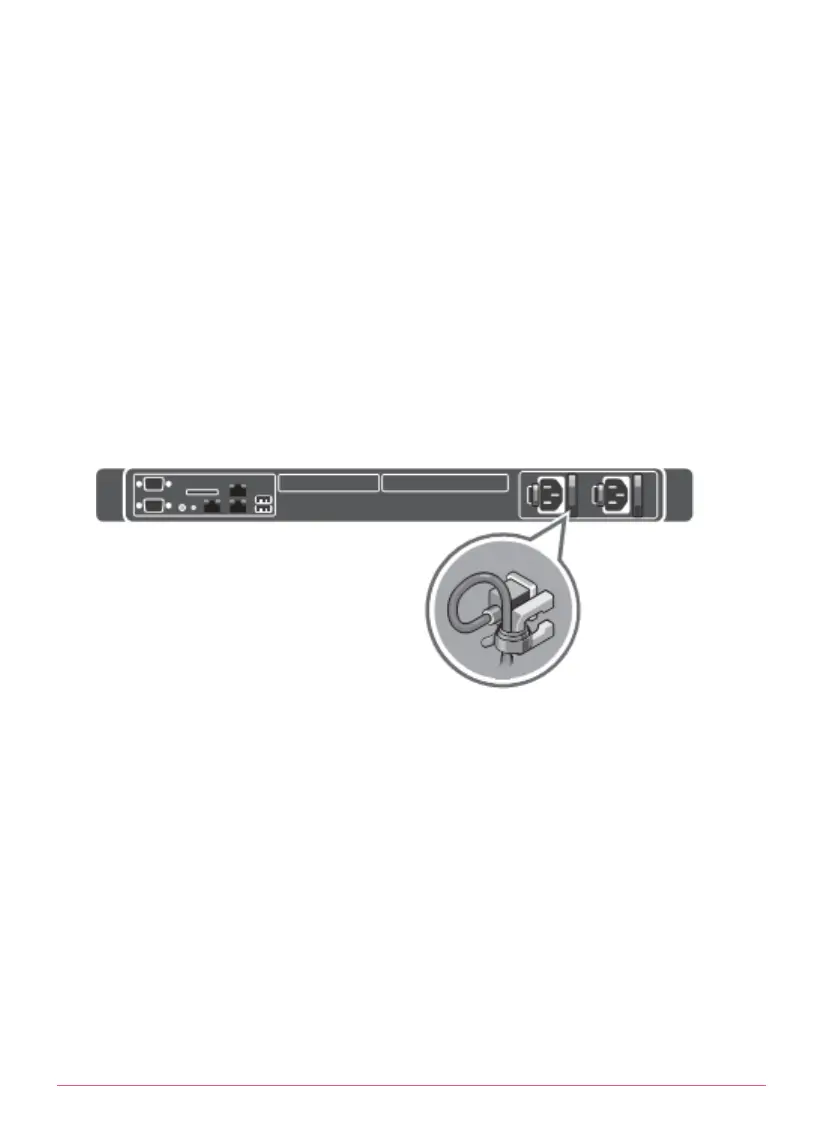
3. Open the retention strap that secures the power cables to the PSUs.
This example shows AC PSUs:
4. If AC PSUs are installed in the appliance:
Disconnect the power cables from the AC PSUs.
5. If DC PSUs are installed in the appliance:
Disconnect the safety ground wires from the DC PSUs.
Disconnect the DC power connectors from the DC PSUs.
6. Remove the hook-and-loop straps that hold and secure the system cables,
if they interfere with the PSU removal.
7. Remove any other attached cables, if necessary.
8. Remove the appliance from the rack.
See the relevant
Installing the Telescoping Rails
booklets for illustrated
installation procedures:
Smart-1 525 and Smart-1 5050 Telescoping Rails
http://supportcontent.checkpoint.com/documentation_download?ID=58649




 To Next Page