
 Need help?
Do you have a question about the Cherry MX BOARD 1.0 BACKLIGHT and is the answer not in the manual?
General operating instructions for effective and reliable use.
Explains key functions for dimming, brightening, and toggling lighting.
Instructions for cleaning the keyboard safely and effectively.
Guidance on cleaning the palm rest for optimal grip.
Steps to download and install the latest keyboard firmware for updates.
Information on preventing Repetitive Strain Injury with ergonomic tips.
Solutions for common keyboard issues like FN key, Win-Key lock, and firmware.
Details supply voltage, current consumption, and operating temperatures.
 General
| Purpose | Universal |
|---|---|
| Windows keys | Yes |
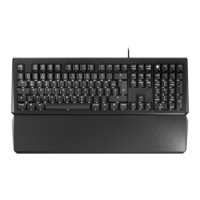
| Keyboard layout | QWERTZ |
| Pointing device | No |
| Device interface | USB |
| Country of origin | Germany |
| Keyboard language | German |
| Recommended usage | Office |
| Keyboard key switch | Mechanical |
| Keyboard form factor | Full-size (100%) |
| Connectivity technology | Wired |
| Keyboard number of keys | 105 |
| Keyboard keys technology | Plunger |
| Keyboard keys operating life | 50 million characters |
| Product color | Black |
| Keyboard style | Straight |
| Backlight color | White |
| Cable length | 1.8 m |
| Storage temperature (T-T) | -20 - 60 °C |
| Operating temperature (T-T) | 0 - 50 °C |
| Number of products included | 1 pc(s) |
| Package depth | 200 mm |
| Package width | 520 mm |
| Package height | 48 mm |
| Package weight | 1510 g |
 Weight and Dimensions
| Keyboard weight | 1165 g |
|---|---|
| Keyboard dimensions (WxDxH) | 470 x 165 x 25 mm |





 To Next Page