Infotainment System 39
.
Input City Name — The
keypad displays for
entering the city name.
Enter the city name and
then select the city from
the list.
.
Last 5 Cities — The city
names of the last five cities
that were stored as a
previous destination
displays. Select a city
from the list.
3. The screen to input the street
name and house number
displays. Input the street name
using the alpha keypad. A list
of available street names display
if there are less than five street
names available. Select the List
screen button at any time to
view the available street names.
The box at the end of the Street
entry field contains the number
of street names available in the
current generated list.
4. Select the desired street name
with the correct designation
(Dr., Ln, St., etc.) from the list.
5. The house number screen
displays, enter the house
number using the numeric
keypad.
Once the correct house number
is selected, a map screen
appears with the destination
marked.
6. Press
h.
7. Press the Guide screen button.
See “Getting Started on Your
Route” in this section for more
information.
Point of Interest (POI)
The Point of Interest (POI)
destination entry method lets
you select a destination from
the POI list.
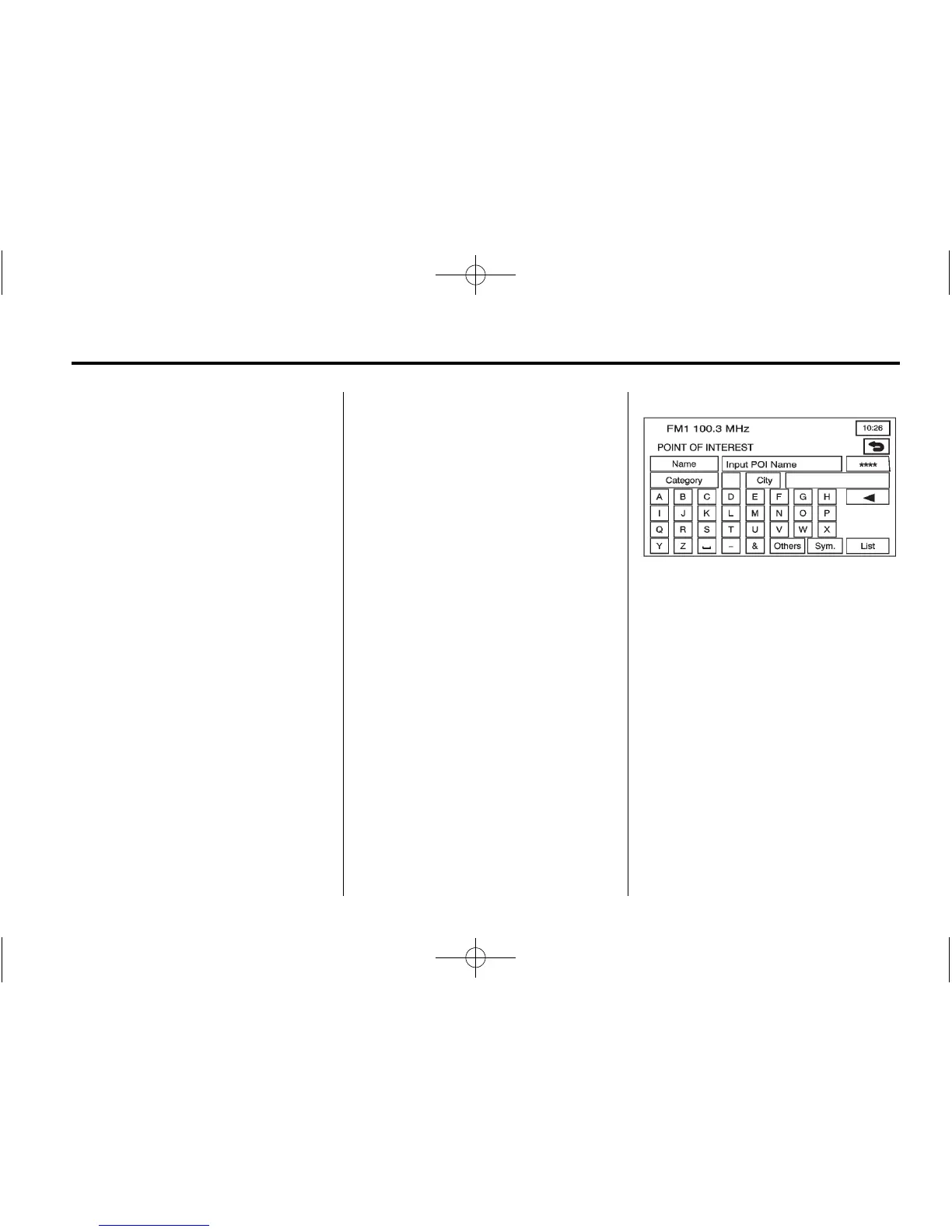
K (Point of Interest): Press
this screen button from the ENTER
DESTINATION screen to access
the POINT OF INTEREST screen.
This screen has three options to
select/input the destination. Either
enter the name of the POI using the
alpha keypad, select a category
from the category list, or select the
city by selecting the City screen
button.









 To Next Page