Chevrolet Corvette Owner Manual (GMNA-Localizing-U.S./Canada/Mexico-
14622938) - 2021 - CRC - 9/22/20
Infotainment System 145
Lap Timing
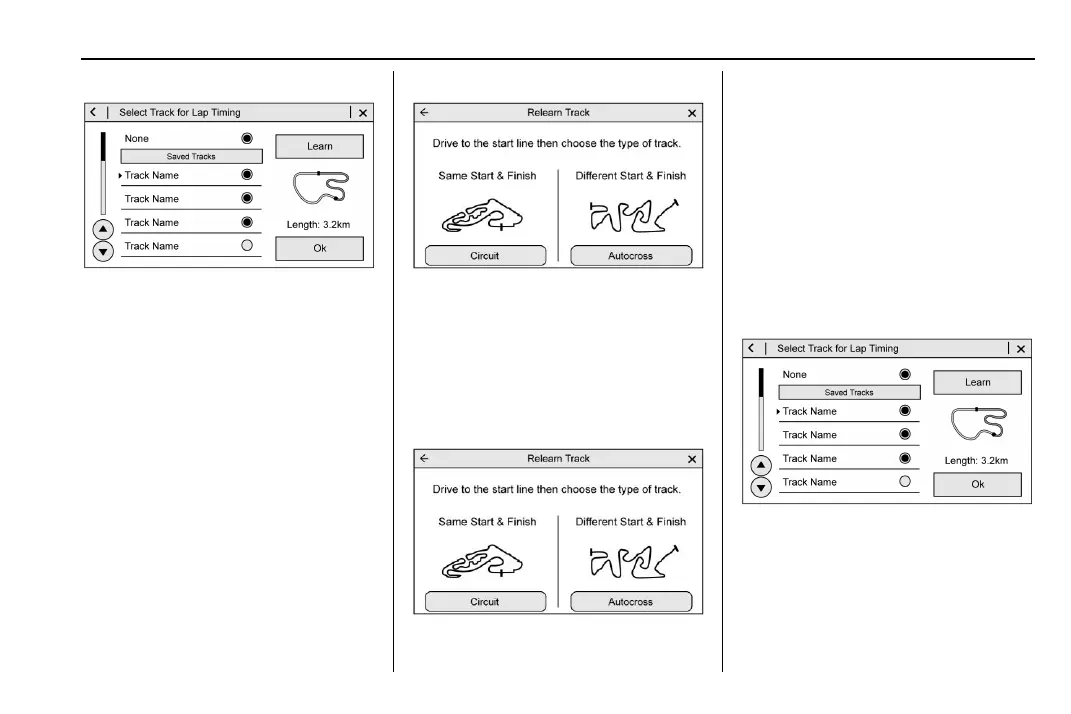
Touch Lap Timing on the PDR tab to display
the track selection screen.
.
Select Custom Track, then Learn to create
a new custom track for lap timing.
.
Select Custom Track, then Relearn if a
custom track has already been defined
and is available on the storage device.
.
Only one track can be learned during
each recording session. To learn a new
track, end the current recording and start
a new one.
Custom Track Learning - Circuit
.
Select Circuit as the track type.
.
Touch Learn when at the starting line.
.
Circuit track learning will complete
automatically when the vehicle crosses
the start/finish line.
.
Touch Cancel to stop the learning process.
Custom Track Learning - Autocross
.
Select Autocross as the track type.
.
Touch Learn when at the starting line.
.
Drive along the course and press Finish
when the vehicle has reached the
Finish Line.
.
Touch Cancel to stop the learning process.
Lap Timing - Saved Tracks
.
Saved tracks will be named by the PDR as
custom.gpx.
.
Saved tracks can be renamed by placing
the SD card in a computer and
overwriting the time/date name to a
user-friendly name. Do not change or
delete the file extension (.gpx).
To begin timing an existing track, scroll to
the desired track and select OK. The PDR tab
will be displayed.















 To Next Page