Infotainment system 151
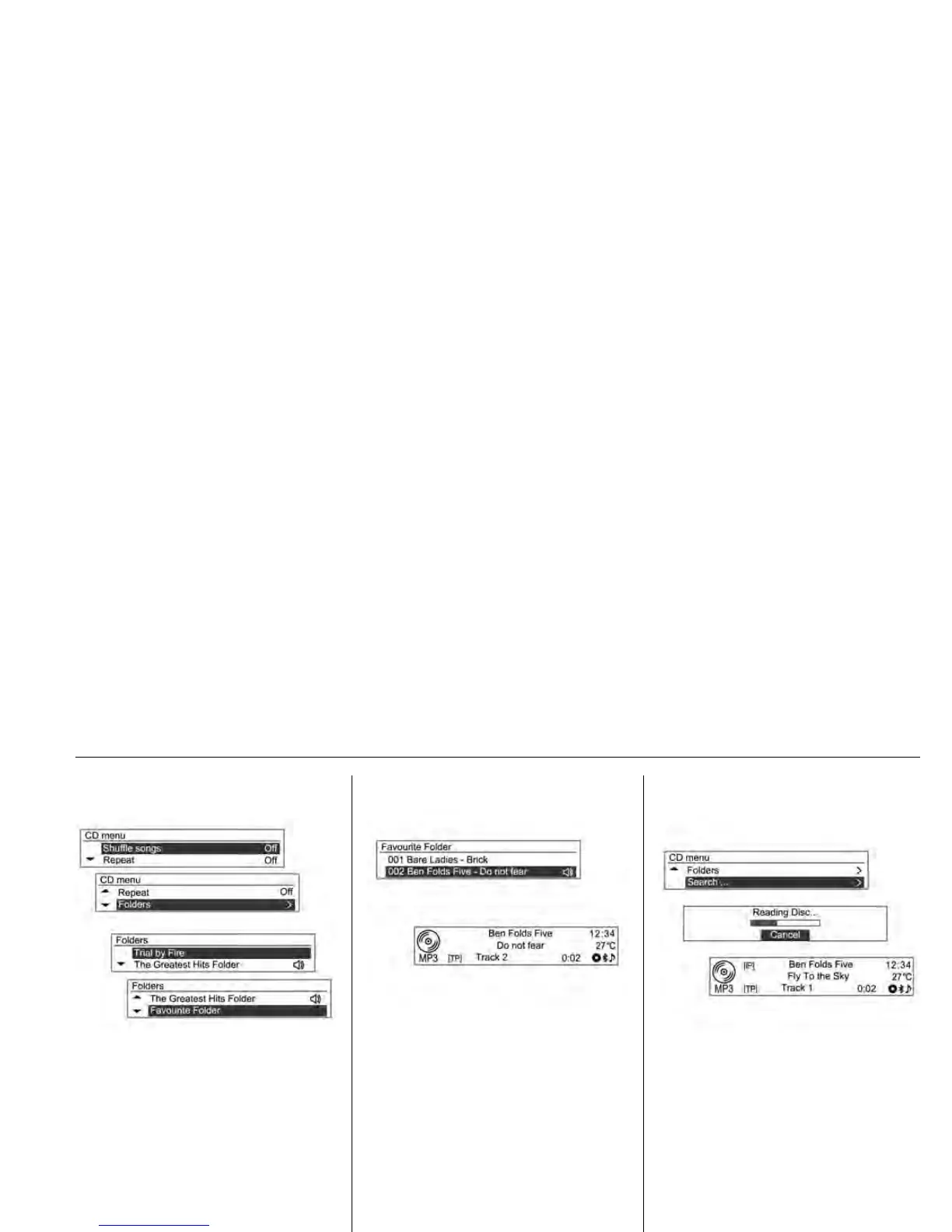
CD Menu Searching Folders
For MP3 (WMA) discs, turn the
MENU-TUNE control knob from the
CD menu to move to the desired
folder, and then press MENU-TUNE
button.
Turn the MENU-TUNE control knob
to move to the desired folder, and
then press MENU-TUNE button.
Turn the MENU-TUNE control knob
to find the desired track, and then
press MENU-TUNE button to play
the selected track from the selected
folder.
CD Menu
Search...
For MP3 [WMA] discs, turn the
MENU-TUNE control knob from the
CD menu, move to the desired item,
and then press the MENU-TUNE
button.
• After the system reads the disc
information, the first song of the
playlist [iP] will be displayed.
• If there are no music files in the
playlist [iP], the first song for each
artist [iA] will be displayed.












 To Next Page