152 Infotainment system
• However, it may take a long time
to read the disc depending on the
number of music files
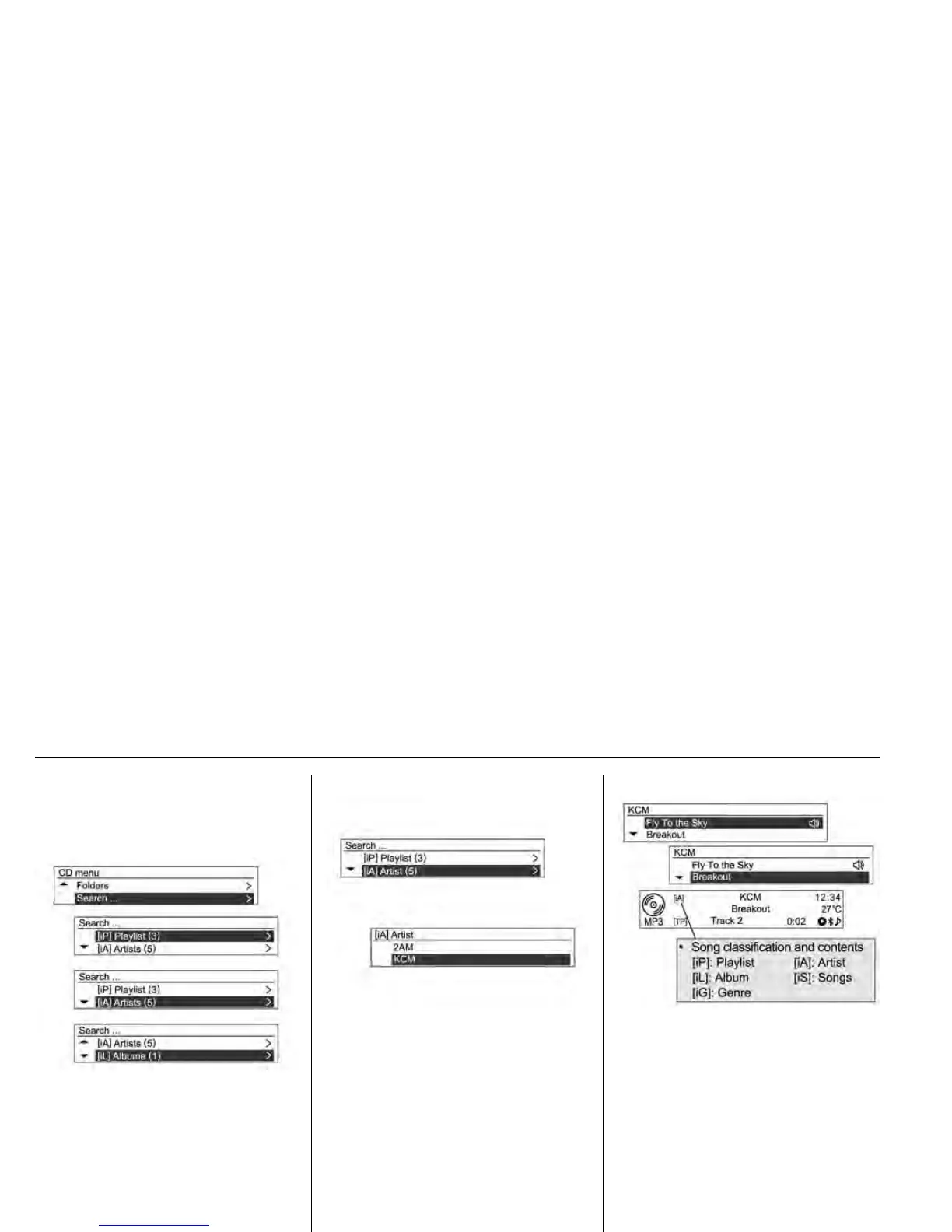
Press the MENU-TUNE button
again, and from the displayed search
item, turn the MENU-TUNE control to
select the desired play mode.
• The number of relevant songs will
be displayed by Playlist [iP]/Artist
[iA]/Album [iL]/Songs [iS]/Genre
[iG].
Turn the MENU-TUNE control knob
to move to the detailed classification
item, and then press the
MENU-TUNE button
Turn the MENU-TUNE control knob
to find the desired track/title, and
then press the MENU-TUNE button
to play the selected track.












 To Next Page