15
TROUBLESHOOTING
Display Meaning Action
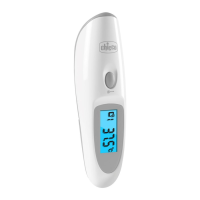
There is a general thermometer function
problem.
Note: the small digits from 0 to 9 in the circle
are intended for internal reference of manu-
facturer, but not for a customer
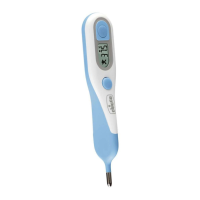
Reset the thermometer by pressing the
“ON” and “M” buttons simultaneously
and keeping them pressed for 3 seconds.
If the thermometer still does not function,
contact technical services.
The operating temperature is lower than
16°C (60.8°F).
Place the thermometer in a room where
the temperature is between 16°C and 36°C
(60.8°F - 96.8°F). Wait 30 minutes before
taking another temperature reading.
The operating temperature is higher than
36°C (96.8°F).
Place the thermometer in a room where
the temperature is between 16°C and 36°C
(60.8°F - 96.8°F). Wait 30 minutes before
taking another temperature reading.
The temperature measured is instable Wait 2 minutes and repeat the measure-
ment strictly as described in this manual
above.
The temperature measured is outside
the measurement range 34.4°C -42.6°C
(93.4°F - 108.7°F).
Wait 2 minutes, than repeat the measure-
ment and wait for the 4 beeps before mov-
ing the thermometer.
The battery is low. Only a few more meas-
urements can be taken.
Replace the old battery with a new one.
The battery is dead.
No more measurements can be taken.
Replace the old battery with a new one
immediately.
The thermom-
eter does not
function or does
not respond. The
display does not
go on or remains
on steady.
The thermometer needs to be reset or the
battery replaced.
Reset the thermometer by pressing the
“ON” and “M” buttons simultaneously
and keeping them pressed for 3 seconds
or replace the old battery with a new one.
If the thermometer still does not function,
contact technical services.
Note: In case of any error Buzzer sounds one beep duration 1s


 To Next Page