27
MI300T 220V
qj
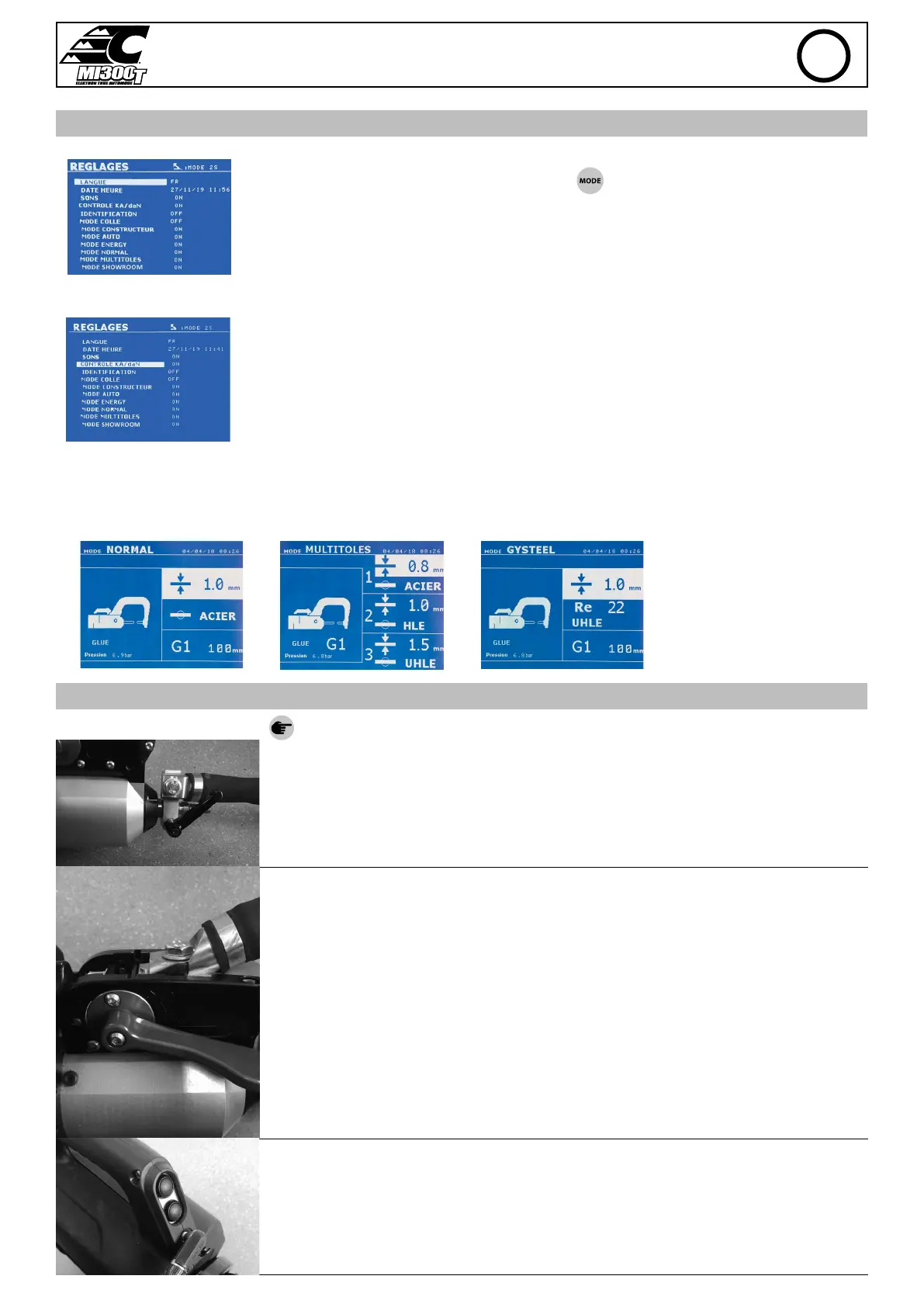
SETTINGS MENU
This menu is accessible by pressing and holding the button for 2 seconds.
The language used in the menu can amended on line 1.
The date and the time can be programmed on line 2.
The modes GYSTEEL, MANUFACTURER , AUTO, ENERGY, NORMAL et MULTISHEETS can be activated or deacti-
vated using this menu.
daN control :
This setting is used to activate or control the clamping force of the clamp during welding.
GLUE mode:
On the SETTINGS screen below, the user can specify the presence glue between the panels/sheets. When this mode is in use, a pre-spot is performed
before the weld. The duration of this pre-spot is set in milliseconds, from 0 to 400 ms, with 50 ms thresholds. When the glue mode is selected, la
word « GLUE » is displayed in the menus of the NORMAL, MANUAL, MULTI or GYSTEEL welding modes.
USE OF THE GUN (OPTION)
- Select the GUN tool using the button .
Attach the gun grounding cable to the mobile electrode. Slide and tighten the knurl.
Remove the arm from the clamp and x, in its place, the gun cable.
Connect the control cable to the jack plug.
EN


 To Next Page